Show original
Try the app

リズム電卓【2026年6月リニューアル】
Enjoyed this article?
Support すずかけ
Share
AI translation
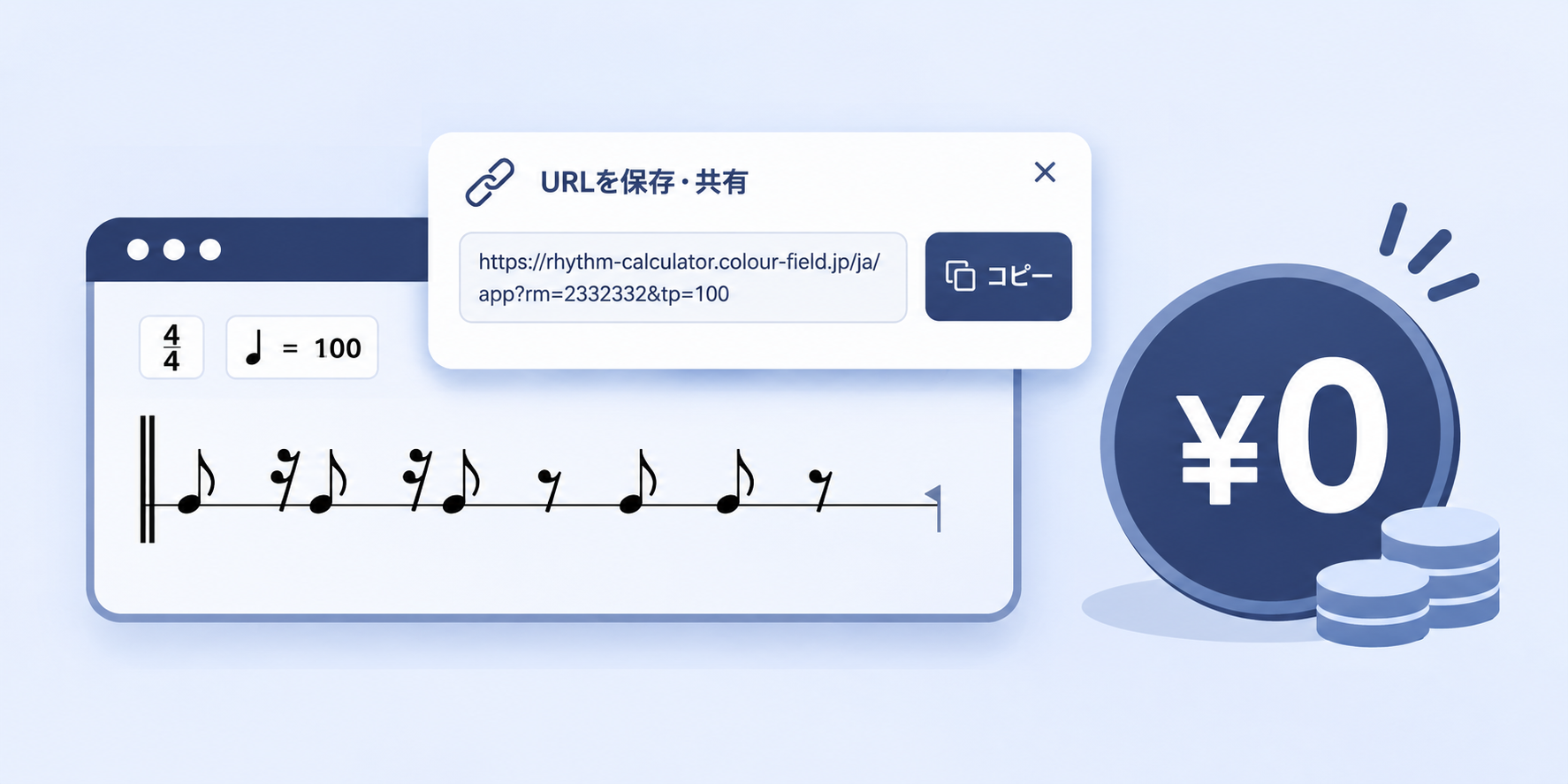
Rhythm Calculator operates with maintenance costs of nearly zero yen. How is it possible to operate at zero cost? What is the contribution to user experience, and what obstacles stood in the way? This is the behind-the-scenes story.
Try the app
リズム電卓【2026年6月リニューアル】
Enjoyed this article?
Support すずかけ
When doing personal development, one thing that stands out is the monthly maintenance costs like server fees and domain fees.
If you're doing it as a hobby, you don't need to aim for a large profit, but you still need to avoid situations where monthly server costs lead to massive losses and you're forced to shut down the service early... (especially since you don't want to betray the users who are actually using it)
Rhythm Calculator has been fortunate enough to rank #1 in Tsukutta's Learning & Education rankings, being used by many users 🎉
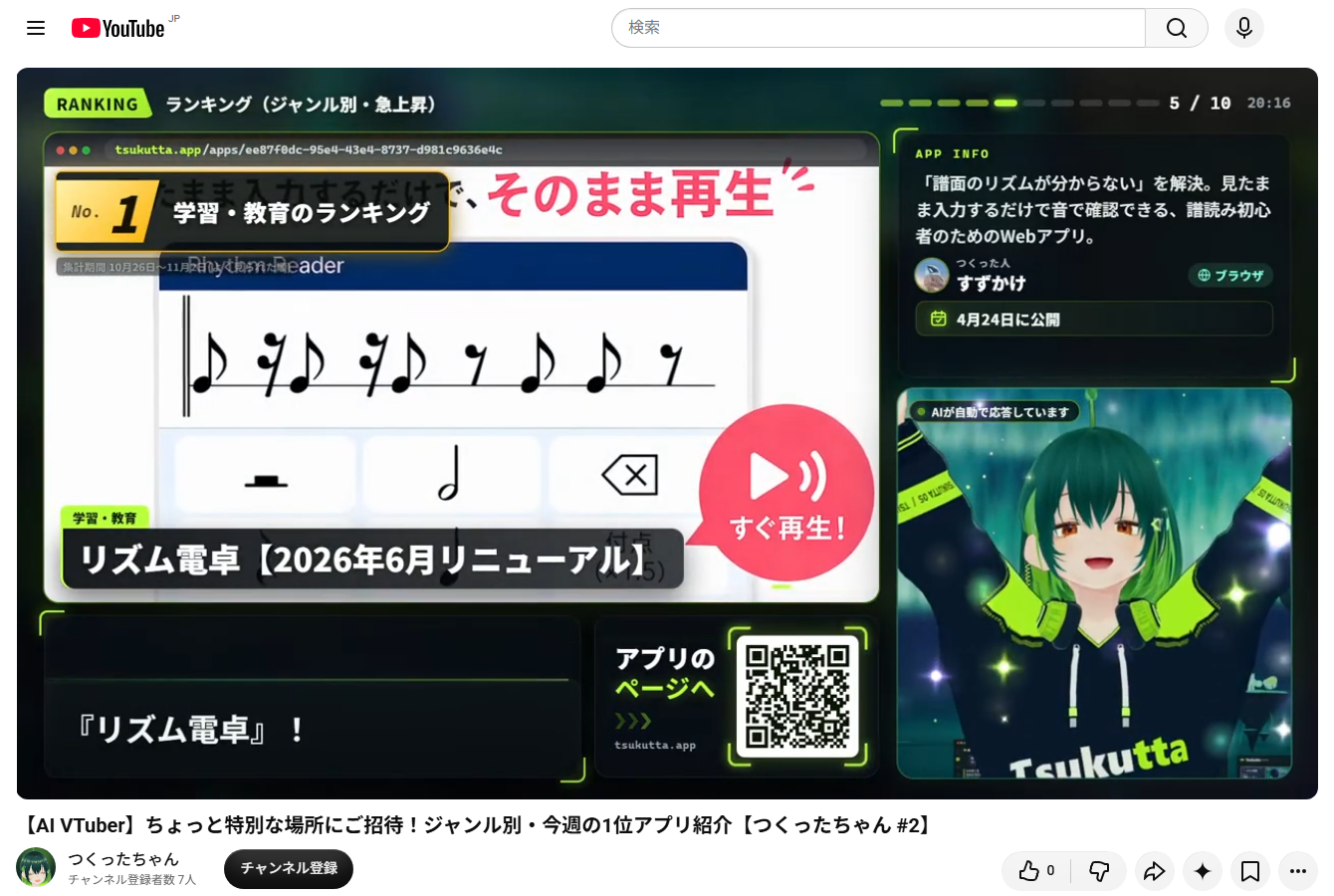
Thank you so much for featuring the app in the second broadcast!
But behind the scenes, the design aims for zero maintenance costs so that even if user count drops to zero, the service won't go bankrupt.
This time, I'll introduce the zero-cost operation design of Rhythm Calculator and the problems that arose along the way.
Rhythm Calculator is a web app that lets you input musical notes on a staff and play back the rhythm.
For repeated practice, we allow users to save the staff and resume later, but we guide users to save the shared URL as a memo.
However, Rhythm Calculator doesn't have a database on the server.
So where is the user's staff data being saved?
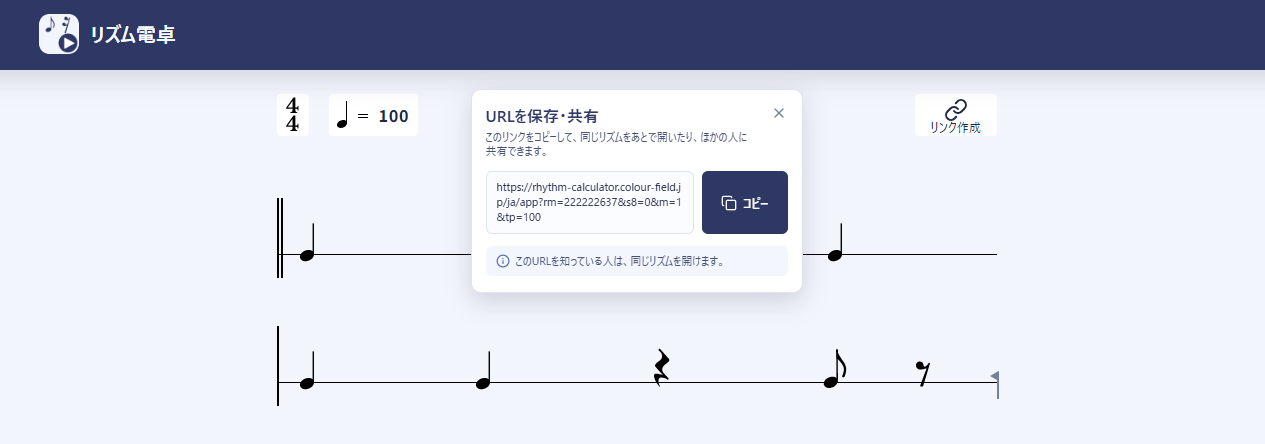 The answer is in the GET parameters of the shared URL.
The shared URL contains all the information needed to restore the staff.
Rhythm Calculator's staff information consists of these 4 elements:
And each parameter is very simple. A single quarter note corresponds to ?rm=2, and two in a row would be ?rm=22.
By packing this information into GET parameters, the original staff can be restored just by opening the URL.
Users can save the shared URL in their notepad app to use next time, or send it to friends via LINE to share.
In other words, the shared URL itself becomes the staff data, so anyone who opens that URL next time can immediately play back the same rhythm at the same tempo!
No user registration is needed, and there's no need to save the staff on the server.
UX gained by eliminating the database - No login required - Save in users' familiar notepad apps - Share anywhere you like—LINE, Slack, etc.
Rhythm Calculator also doesn't have a backend server for synthesizing playback audio.
Based on the input notes, audio is synthesized in real-time directly in the browser.
From note input to rhythm calculation to audio playback, everything is completed within the user's browser.
There's no need to fetch audio files from the server or send API requests every time you play.
Therefore, no matter how many times users play the rhythm or how many users increase, there's zero computation on the backend server.
Furthermore, thanks to real-time synthesis, the following usage patterns became possible!
The notes ahead of the red playback bar haven't been synthesized yet. If they're ahead of the playback position, you can add or delete notes.
You can change the BPM while listening to the rhythm. Per measure? No—it changes per note.
While playback continues, you can adjust the swing slider in real-time to change the rhythm. You can listen to the original song and search for a swing feel close to it!
Rhythm Calculator can be installed on your home screen as a PWA. Since audio processing stays on the device, you can use the app even offline ✨
UX gained by eliminating the backend server - Changing/rewriting rhythm during playback - Offline support
Since we didn't need a database or a backend for the app itself, the website could be delivered statically.
The app portion of Rhythm Calculator alone could be built as an SPA. However, Rhythm Calculator has pages beyond just the app—like the landing page and privacy policy. Plus, we wanted to prepare both Japanese and English versions, so we chose an MPA structure with separate HTML files for each page.
That's where Astro came in.
With Astro, you can build the app itself in React while generating each page as a separate HTML file. Japanese and English versions can also be generated statically as separate pages.
In other words, it's a multi-page website structure where the server doesn't need to generate pages.
This means it can be published on any service that delivers static files—whether it's an old-fashioned FTP rental server, Google's Firebase Hosting, GitHub Pages, or AWS S3 + CloudFront.
So: no database, no backend server, just static file delivery.
Complete frontend-only operation was supposed to be possible... but it wasn't.
Instead of having a database, staff saving and sharing uses GET parameters. But as these shared URLs started being used, a different problem emerged.
GET parameters are different for every staff. Google's crawler found these different URLs!
The crawler recognizes each of these URLs as a separate page. Even though they're all under the /app path, they could appear as separate pages in search results.
/app should be registered, but /app?rm=2222 should not be.
To serve different HTML for such cases, a small backend server was necessary.
This was solved by Cloudflare Workers.
Rhythm Calculator runs Workers in just one place solely to SSR the output differentiation of noindex.
The actual judgment logic is just 2 lines.
const hasQueryParams = Astro.url.search !== "";const robots = hasQueryParams ? "noindex,follow" : "index,follow";
If there are no GET parameters, index,follow; if there are, noindex,follow.
Then, if Google's crawler reads this, only URLs with GET parameters can be excluded from indexing.
Looking at Google Search Console, URLs with GET parameters are reported as "Excluded by noindex tag."
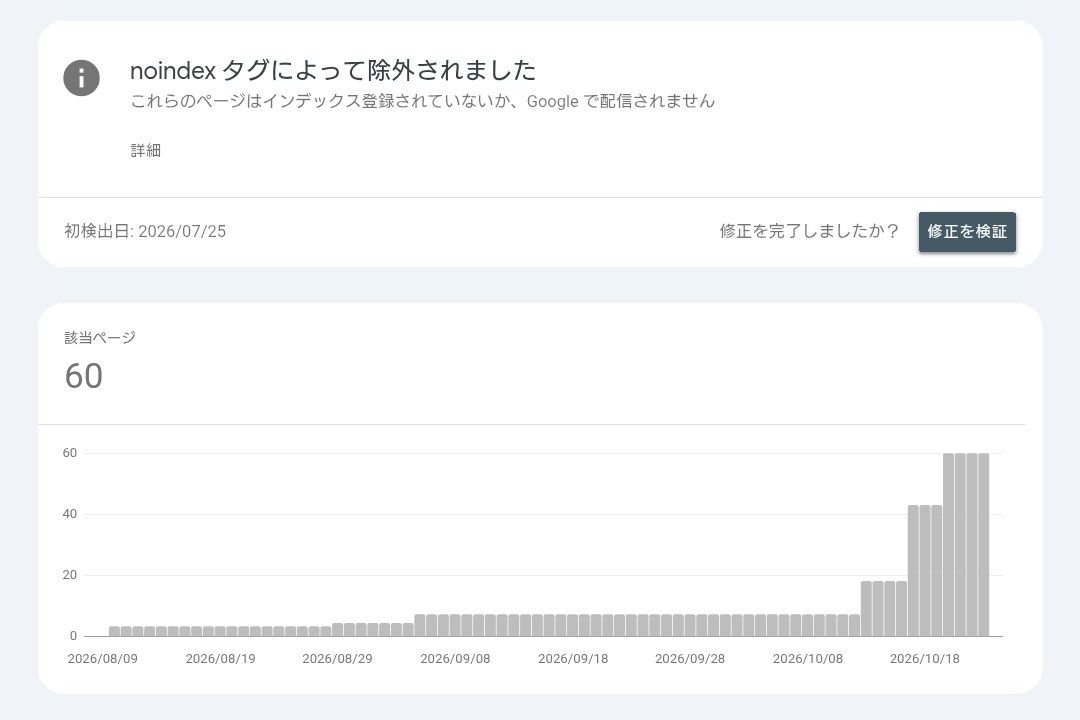 Recently, this count has been increasing. It looks like an error, but this time it's working as intended!
Rhythm Calculator, which was supposed to be entirely static delivery, ended up with backend processing for index differentiation.
However, thanks to Astro's handling of this and Cloudflare Workers, we were able to adapt with only minimal changes.
With just a few milliseconds of response time per access and backend processing so light it's negligible, Rhythm Calculator currently has no per-access charges ✨
(We have a $5 Workers Plus plan for a Next.js app distributed from the same account. Since that one is massive, Rhythm Calculator stays within the quota.)
While backend processing did increase, audio synthesis and rhythm calculation are completed within the browser. No matter how many times users play or rewrite notes, the server never calculates audio.
It's often said that personal development can ignore labor costs, but even if labor costs are ignored, server expenses are painful. To avoid situations where rising server costs (and lately AI costs too) lead to shutting down services, we cut every possible expense to the absolute minimum and keep the application small. I think Rhythm Calculator is an app where this practice was successfully realized.
Going forward, I want to nurture Rhythm Calculator long-term without suffering from server costs.
個人開発をしていると気になるのが、毎月のサーバー代やドメイン代などの維持費です。
趣味でやっているなら大きく黒字を出すところまでは行かなくていいのですが、それでも毎月のサーバー代で大赤字、耐えきれずにサービスを早期終了してしまう……なんてことは避けなければなりません。(なにより使ってくれているユーザーを裏切りたくないですから)
リズム電卓は、ありがたいことにTsukuttaの学習・教育ランキングで1位を獲得するほど、多くのユーザーに使われています🎉
第2回目の配信でもアプリを呼んでもらえました、本当にありがとうございます!
ですがその裏側は、たとえユーザー数ゼロでも破産しないよう、維持費ゼロ円を目指した設計です。
今回は、そんなリズム電卓のゼロ円運用を目指した設計と、途中で発生した問題について紹介します。
リズム電卓は、楽譜の音符を入力すると、そのリズムを再生できるWebアプリです。
繰り返し練習する時のために、楽譜を保存して再開できるようにしていますが、そのために共有URLをメモしてもらう運用をご案内しています。
しかし、リズム電卓ではサーバー内にデータベースを持っていません。
どこでユーザーの楽譜データを保存しているのでしょうか?
答えは、共有URLのGETパラメータです。
共有URLには、楽譜を復元するために必要な情報をすべて含めています。
リズム電卓の楽譜情報は次の4つです。
そして、それぞれのパラメーターもとても単純です。四分音符1つは?rm=2に対応し、2つ連続だったら?rm=22です。
これらの情報をGETパラメータに詰め込むことで、URLを開くだけで元の楽譜を復元できるようにしています。
ユーザーは共有URLをメモ帳に保存して次回つかったり、LINEで友達に送って共有することもできます。
つまり共有URLそのものが楽譜データになっているので、そのURLを次に誰が開いても、同じリズム、同じテンポですぐに再生できるのです!
ユーザー登録も不要ですし、サーバーに楽譜を保存する必要もありません。
データベースを無くして得られたUX - ログイン不要 - ユーザーの使い慣れたメモ帳に保存 - LINEでもSlackでも好きなところで共有
リズム電卓では、再生する音声を合成するバックエンドサーバーもありません。
入力された音符をもとに、ブラウザ上でリアルタイムに音声を合成しています。
音符の入力、リズムの計算、音声の再生まで、すべてユーザーのブラウザ内で完結します。
サーバーから音声ファイルを取得したり、再生するたびにAPIへリクエストを送ったりする必要はありません。
そのため、ユーザーがどれだけリズムを再生しても、ユーザーがどれだけ増えても、バックエンドサーバーでの計算は一切発生しません。
さらに、リアルタイム合成のおかげで次のような使い方ができるようになりました!
再生中の赤いバーよりも先の音符は、まだ音が合成されていません。再生位置よりも先なら音符を追加したり削除したりできます。
リズムを聞きながらBPMを変えられます。小節ごと?いいえ、音符ごとにかわります。
再生を続けながら、ハネ感のスライダーを調整することで、リアルタイムにリズムがかわります。原曲を聴きながら、それに近いスウィング感を探しにいけます!
リズム電卓はPWAとしてホーム画面にインストールできます。音声処理も端末内に収まるので、オフラインでもアプリを使えます✨
バックエンドサーバーを無くして得られたUX - 再生途中でのリズムの変更・書き換え - オフライン対応
データベースもアプリ本体のバックエンドも不要になったので、Webサイト自体も静的に配信できる構成になりました。
リズム電卓のアプリ部分だけなら、SPAとして構築もできます。ですが、リズム電卓にはアプリ以外にも、LPやプライバシーポリシーなどのページがあります。さらに、日本語版と英語版もそれぞれ用意したかったので、ページごとにHTMLを分けられるMPAの構成にしました。
そこで採用したのがAstroです。
Astroなら、アプリ本体をReactで組みながら、それぞれのページを別のHTMLファイルとしてビルドできます。日本語版と英語版も、別々のページとして静的に生成できます。
つまり、複数ページのWebサイトでありながら、サーバー側でページを生成する必要がない構成です。
これなら、昔ながらのFTPでレンタルサーバーに配置しても、GoogleのFirebase Hostingでも、GitHub Pagesでも、AWSのS3+CloudFrontでも、静的ファイルを配信できるサービスなら公開できます。
これで、データベースなし、バックエンドサーバーなし、静的ファイルの配信だけ。
完全にフロントエンドだけの運用が実現できる……はずでした。
データベースを持たない代わりに、楽譜の保存と共有はGETパラメータを使います。しかし、この共有URLが使われだすと、別の問題が発生してきました。
GETパラメーターはすべての楽譜でそれぞれ異なります。その異なるURLを、Googleのクローラーが見つけてしまったのです!
クローラーはこれらのURLをすべて別々のページだと認識しています。全部/appのパスなのに、検索結果で別々のページとして出てくる可能性があります。
/app は登録してほしいけれど、/app?rm=2222は登録してほしくない。
そんなHTMLの出し分けには、わずかなバックエンドサーバーが必要でした。
これを解決できたのが Cloudflare Workers です。
リズム電卓では一か所だけnoindexの出し分けをSSRするためだけに、Workersで稼働させています。
実際の判定部分はたった2行です。
const hasQueryParams = Astro.url.search !== "";const robots = hasQueryParams ? "noindex,follow" : "index,follow";
GETパラメータがなければ index,follow、あれば noindex,follow にしています。
あとはこれをGoogleのクローラーが読み取ってくれれば、GETパラメータが付いたURLだけをインデックス登録の対象から除外できるということです。
実際にGoogle Search Consoleを見てみると、GETパラメータ付きのURLが「noindex タグによって除外されました」と報告されています。
最近はこの件数が増えてきました。エラーのように見えますが、今回は狙いどおりです!
すべてを静的配信で済ませるつもりだったリズム電卓にも、indexの出し分けというバックエンド処理が加わりました。
しかしAstroのこのあたりの対応とCloudflare Workersのおかげで、ごくわずかな変更だけで対応することができました。
1アクセスあたり数msのレスポンスと、バックエンドでの処理が気にならないほど処理は軽く、いまのところリズム電卓による通過課金はありません✨
(同じアカウントで配信しているNextJSのアプリのために$5のWorkers Plusを契約しています。そちらが巨大なのでリズム電卓分は枠内に収まっています。)
結果的にバックエンド処理は増えてしまいましたが、音声合成やリズムの計算はブラウザ内で完結しています。ユーザーが何回再生しても、何回音符を書き換えても、サーバー側で音声を計算することはありません。
個人開発では人件費を無視できるという話はよく聞きますが、人件費が無視できたとしてもサーバー代の出費は痛いです。サーバー代(最近ではAI代も)がかさむのでサービスをたたんでしまう、ということにならないよう、削れる出費は極限まで削って小さいアプリケーションにする。そんな実践ができたアプリだと思います。
これからも、サーバー代には苦しむことなく、リズム電卓を長期的に育てていきたいと思います。

