Show original
Try the app

リズム電卓
Enjoyed this article?
Support すずかけ
Share
AI translation
The Rhythm Calculator was born from a desire that came up during a light music club's summer training camp: "I want to quickly check the rhythm of sheet music." This is a story about personal development that allows you to input and play rhythms using just a smartphone.
Try the app
リズム電卓
Enjoyed this article?
Support すずかけ
Thank you so much for using the "Rhythm Calculator" that I posted on Tsukutta! It's being used so much that it's even ranking high in the cumulative rankings!
I happened to catch a live stream by Tsukutta-chan, and it was featured in the Top 10 rankings, so she introduced it during the broadcast. I'm truly delighted!
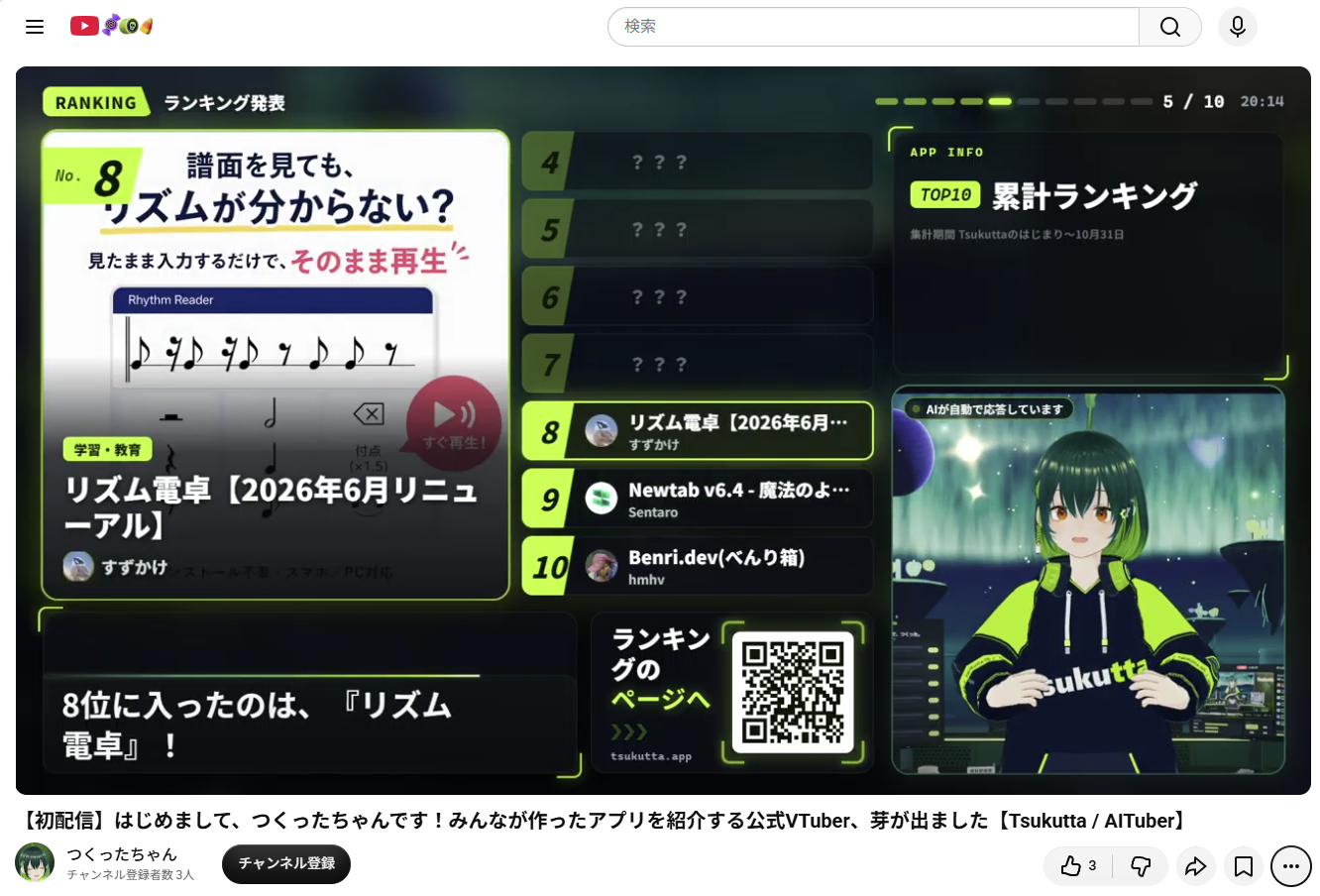 https://x.com/suzukake88/status/2116491240904790202?a=UYTAlhVXLiGJtpeW-Ak&s=20
This time, I'd like to write a bit about why I decided to create the app that's now posted on Tsukutta in the first place.
I'm Suzukake, and while app development is one of my hobbies, the electric bass I've been playing since my student days is another hobby of mine.
When I was in the light music club at university, we had an event during summer camp where we would complete an unfamiliar song over 3 nights and 4 days!
However, being handed sheet music on the first day and then having a session that same evening was quite a rush job. Especially for me back then, who couldn't read sheet music (or read it very slowly), it was challenging.
I could learn the pitch of the notes slowly, but what I really wanted was for someone to teach me the rhythm!
Of course, there are software programs that let you input sheet music on a computer and play it back. But when practicing in the large hall of the camp lodge, taking out a laptop and inputting sheet music would take a lot of time and effort (and we should be practicing instead!).
So I wanted something more convenient—something where I could quickly tap in notes on my smartphone and immediately hear the rhythm played back right there.
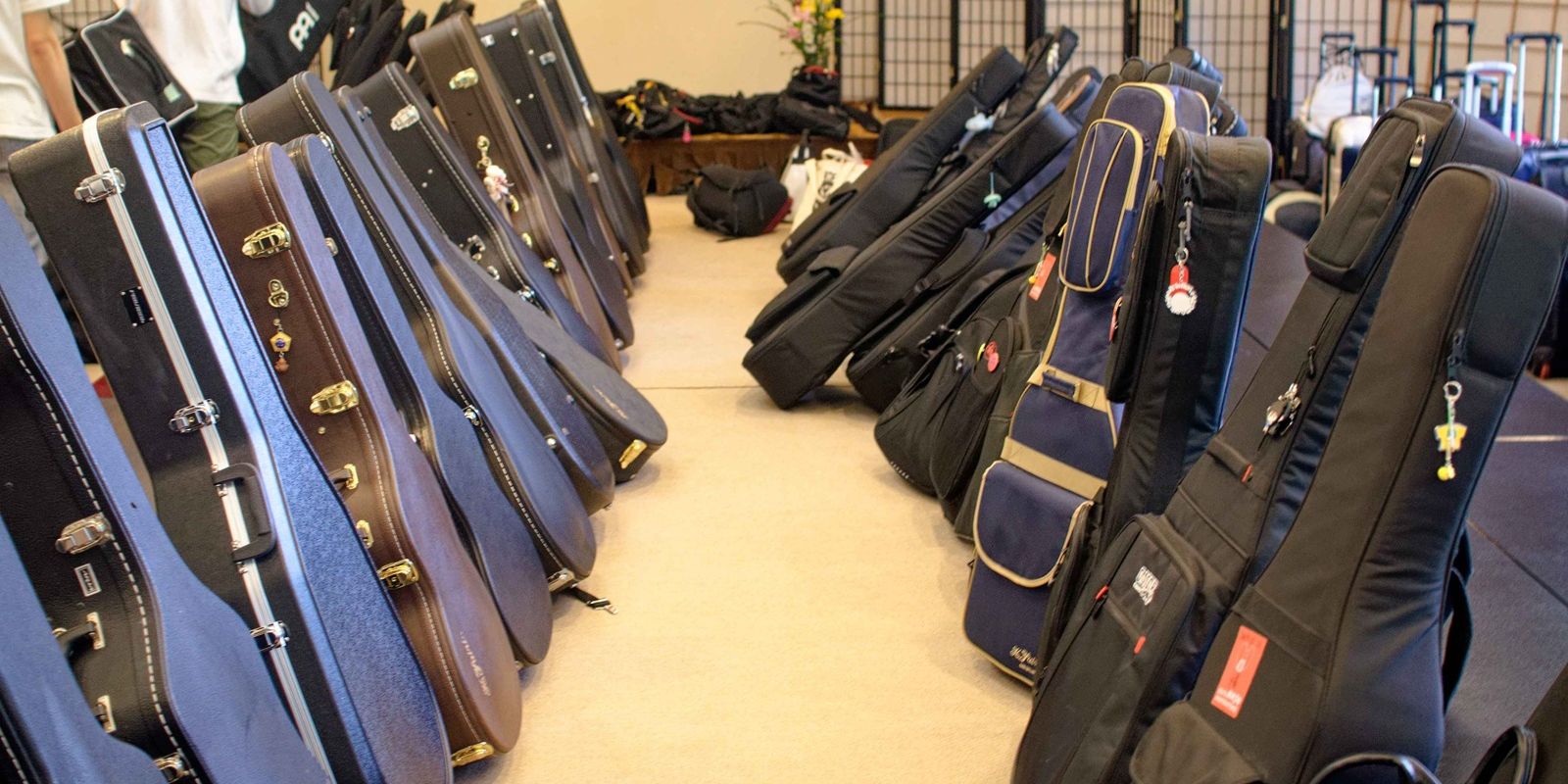
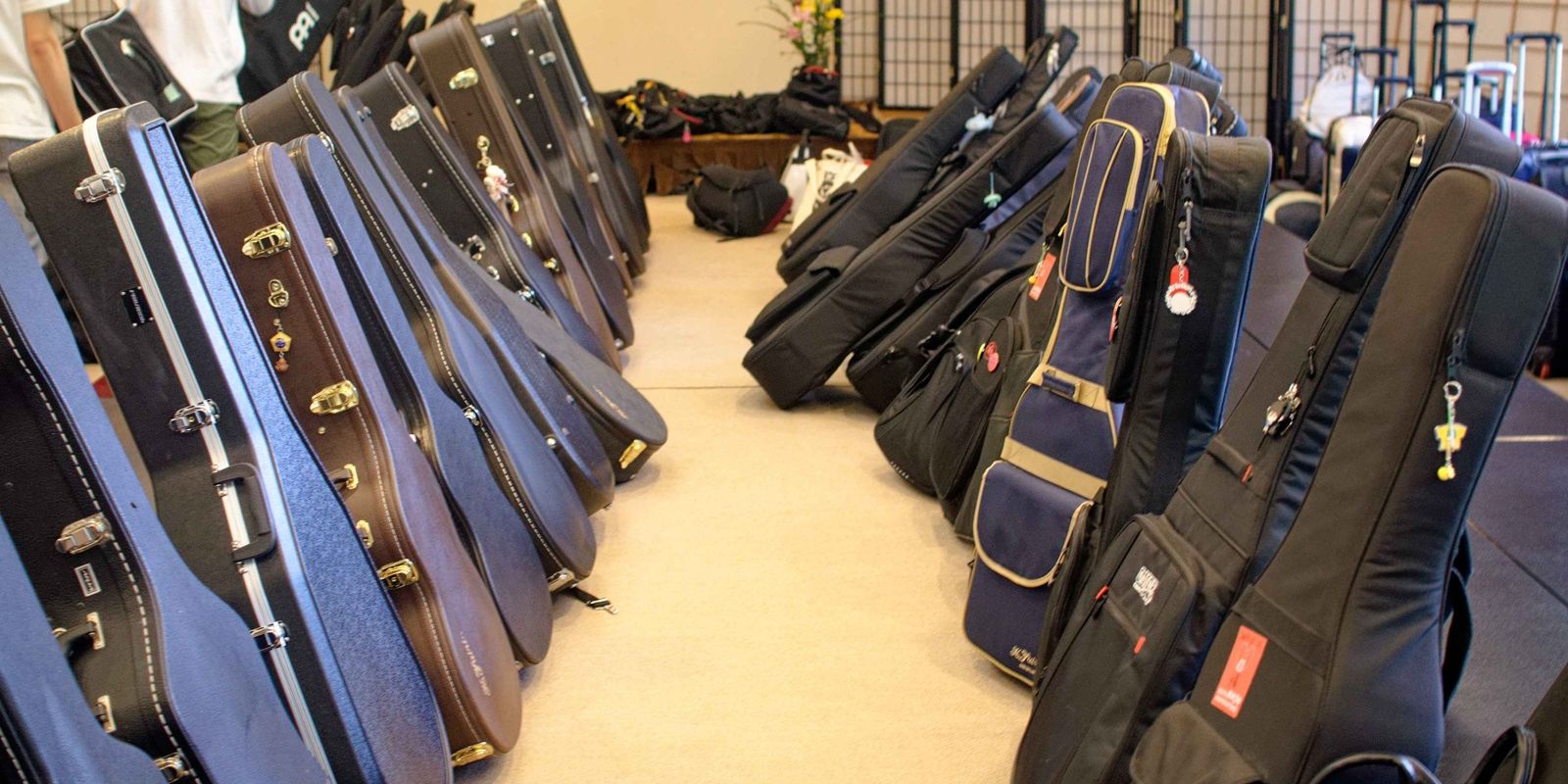 > The large hall of the camp lodge. Everyone brings their instruments, so the number of guitars gets pretty crazy.\
But since it's a large communal hall, there wasn't really a work table or anything where you could set up a PC.
So, partly out of necessity, I started creating an app myself.
I made it so you could input quarter notes, eighth notes, rests, and other elements like buttons on a calculator, and when you press the play button, that rhythm plays. I tried to minimize the operations needed so you could quickly check only the parts you didn't understand.
Nowadays, I can write programs while consulting with AI, but back then, there were no LLMs like we have now.
While learning how to build web apps, I also implemented the sound synthesis mechanism (using the Web Audio API for real-time synthesis).
For displaying the notes on screen, I cut out images from PNG files and adjusted them 1 pixel at a time with CSS to get a nice appearance.
From the start, I wasn't thinking about having lots of people use it—I was mainly trying to create something I could use for my own practice.
Once I had 4/4 time and basic notes working, I showed it to circle members who seemed to be struggling with rhythm.
"I made something like this—what do you think?"
When I showed it to them like that, the reaction was better than I expected.
If there were members who seemed to be struggling with rhythm, I'd actually input the notes from their sheet music and play them back, introducing the app with something like, "It's basically like this."
Something I made for my own practice was turning out to be convenient for other people too. I thought maybe more people could use it, so I got a URL and made it publicly available.
Even after going public, I've been gradually adding features. I added support for triplets, swing, shuffle, and other things. Whenever I encountered sheet music in songs I performed, I'd add features to the Rhythm Calculator so it could reproduce them.
I posted it to Tsukutta after happening to see Tsukutta on X (Twitter). I added it with a pretty casual mindset.
But it's been used much more than I expected, appearing in rankings and even being featured on live streams.
And most importantly, I'm grateful for the increased opportunities to receive feedback.
The app was originally created because I wanted it for my own practice, and I still use it for my own practice today.
However, from other people's perspectives, I've learned things I wouldn't have noticed on my own—like "I wish this feature existed" or "there's a bug." I'm truly grateful for all this input.
An app I started making for myself is now gradually improving based on everyone's voices.
So, I'd love to hear your impressions of using it, and I'm very welcome to feedback like "I wish this feature existed!"
Thank you for continuing to use the Rhythm Calculator!
Rhythm Calculator: https://tsukutta.app/apps/ee87f0dc-95e4-43e4-8737-d981c9636e4c
Tsukuttaに投稿した「リズム電卓」、累計ランキングでも上位に載るほど使われていて、本当にありがとうございます!
つくったちゃんのライブ配信をたまたま見かけたところ、トップ10ランキングに載っていたこともあり、配信で紹介していただきました。本当に嬉しい限りです。
https://x.com/suzukake88/status/2116491240904790202?a=UYTAlhVXLiGJtpeW-Ak&s=20
今回は、そんなTsukuttaに掲載したアプリを、そもそもなぜ作ろうと思ったのか、少し書いてみようと思います。
私すずかけ、アプリ開発も趣味ですが、学生のときから弾いているエレキベースももう一つの趣味です。
大学のときに所属していた軽音サークルでは、夏合宿で3泊4日かけて初見の曲を完成させる!というイベントがありました。
ただ、1日目に楽譜を渡されて、その晩にはセッションをするというのはなかなかの突貫工事です。特に楽譜が読めない(読めても遅い)当時の私にとっては大変なことでした。
音符の高さはゆっくり押さえられるから、あとはリズムを教えてほしい!と思っていたのです。
もちろん、パソコンで楽譜を打ち込んで再生するソフトはあります。でも、合宿所の大広間で練習しているときに、わざわざノートパソコンを取り出して楽譜を入力するのは時間と手間がかかります(その間に練習しなきゃ!)。
なのでもっと手軽に、スマホで音符をポチポチ入力したら、その場ですぐにリズムを鳴らせるものが欲しかったのです。
> 合宿所の大広間。みんな楽器を持ってくるのでギターの本数が凄いことになります。\
でも大広間なのでPCとかおける作業台みたいなものはありませんでした。
そんなわけで、半分は必要に駆られて自分でアプリを作り始めていました。
四分音符や八分音符、休符などを電卓のようにボタンで入力して、再生ボタンを押せばそのリズムが鳴る。できるだけ操作を少なくして、わからないところだけをすぐに確認できるようにしました。
今でこそAIに相談しながらプログラムを書くこともできますが、当時は今のようなLLMもありませんでした。
Webアプリの作り方を勉強しながら、発音機構(Web Audio APIを使ったリアルタイム合成を実装しています)も一緒に実装しました。
音符を画面に表示するところも、pngで画像を切り出して、CSSで1pxずつ調整していい感じの見栄えになるように調整しています。
最初から大勢の人に使ってもらおうというより、まずは自分が練習で使えるものを作るつもりでした。
4拍子と基本の音符だけ作れた状態で、リズムに困っていそうなサークルのメンバーにも紹介してみました。
「こんなのつくってみたんだけど、どう?」
そんな感じで見せてみると、思っていた以上に反応が良かったのです。
リズムに苦戦していそうなメンバーがいたら、実際に楽譜の音符を入力して鳴らしてみて、「だいたいこんな感じだよ」とアプリを紹介することもありました。
自分の練習のために作ったものが、他の人も便利に思ってくれている。それならもっと多くの人にも使ってもらえるかもしれないと思い、URLも取得して一般公開しました。
公開してからも少しずつ機能を増やしています。三連符に対応したり、スウィング・シャッフルに対応したり。自分が演奏する曲で出てきた譜面を、リズム電卓でも再現できるように機能を追加していきました。
Tsukuttaへの投稿は、たまたまX(Twitter)でTsukuttaを見かけてたことがきっかけです。とても軽い気持ちで追加していました。
それが思いのほか使っていただいて、ランキングに載ったり、ライブ配信で取り上げてもらえたりしています。
そして何より、フィードバックを頂ける機会が増えたのがありがたいです。
もともとは自分が練習するときに欲しくて作ったアプリで、今でも自分の練習で使っています。
しかし他の人から見ると、なかなか気づけなかった「○○の機能が欲しい」だとか「バグがあった」だとかいろいろ教えていただけます。
自分のために作り始めたアプリが、こうして皆さんの声をもとに少しずつ改善できているのは、本当にありがたいことです。
というわけで、使ってみた感想や、こんな機能が欲しい!といったフィードバックも大歓迎です。
これからもリズム電卓をよろしくお願いします!
リズム電卓:https://tsukutta.app/apps/ee87f0dc-95e4-43e4-8737-d981c9636e4c

