

About this appAbout this app
Automatically translated from Japanese by AI
Automatically translated from Japanese by AI
03
.mdAnswers from ChatGPT and Claude get saved in .md. Projects downloaded from GitHub come with README files. Agent tools like Claude Code and Cursor write all their settings and plans in Markdown — CLAUDE.md / AGENTS.md / plan.md.
In other words, AI now "writes" Markdown, and we've increasingly become the ones who "read" it.
Yet the way the OS lets us open .md remains stuck in the same two choices from decades ago: open it as plain text, or open it in a heavy editor.
These accumulated moments of "waiting" add up to a surprisingly frustrating amount of stress (it certainly did for me).
macOS has Quick Look — a remarkably lightweight experience where you press the spacebar to preview. There's no Markdown version of that on Windows, macOS, or Linux. So I had to make one — and that's how mdpeek was born.
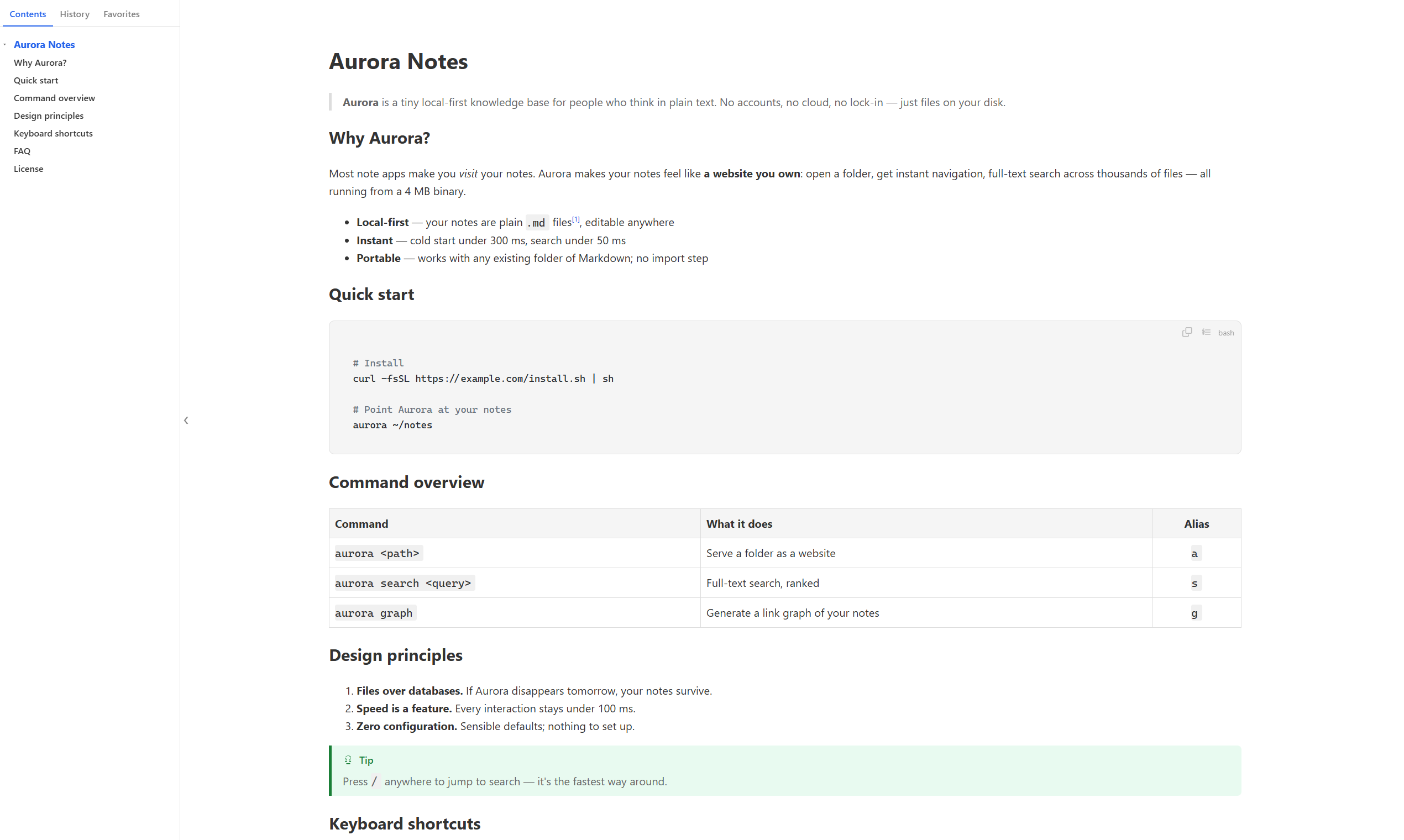
mdpeek is a lightweight Markdown viewer that runs on Windows / macOS / Linux.
.md file associations, so double-clicking renders it like a web page and opens itWhen you're reading and want to make edits:
F2 — Obsidian-style WYSIWYG editing within the preview (Pro)F3 — Split editing with source on left and preview on right, synchronized scrolling (Pro)F4 / Ctrl+E — Open in VS Code / Sublime / Notepad++ while preserving your reading position (free)I tried every existing option. They're all good tools, but they're all optimized for "open · edit · save" rather than "open · read · close".
.md you picked up from somewhereThe conclusion I reached is simple.


Reactions & commentsFeedback
Share your thoughts, bug reports, or suggestions directly with the developer
Log in to share your feedback
Log in to leave feedback