Show original
Enjoyed this article?
Use "Request tipping" to ask the author to set up tip receiving.
AI translation
Tabsへの登録を簡単にできるように改善しました。
Enjoyed this article?
Use "Request tipping" to ask the author to set up tip receiving.

About Tabs
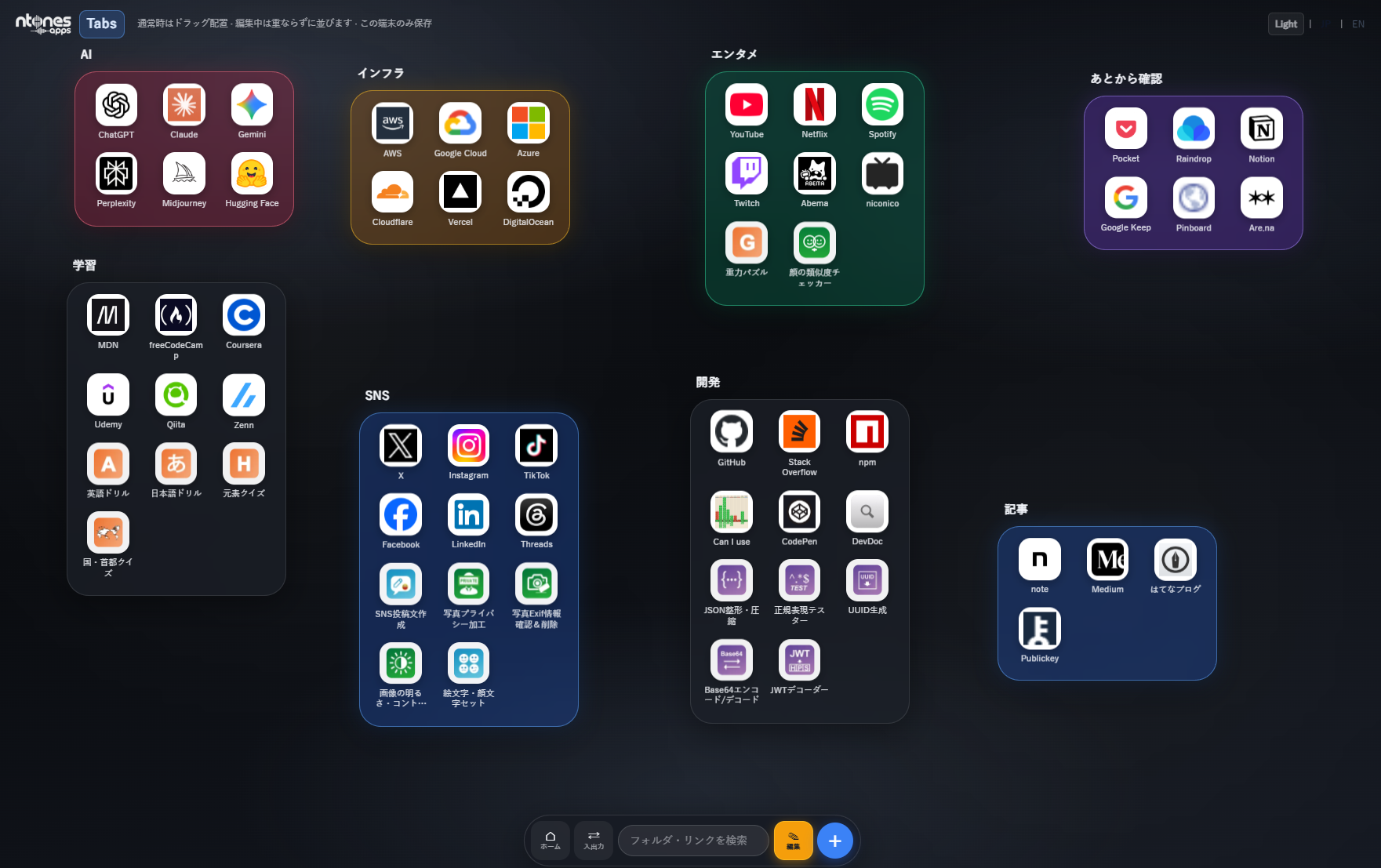
A launcher/organization board for your own use.
Register frequently used websites by category.
Designed to be visually easy to view and allow instant access.
Of course, you can also easily add any of napps' 100+ tools.
Suited for those who want to get work done faster.
Perfect for those who find it tedious to search through bookmarks every time.
Updates
・We received feedback that having empty favorite groups on the first launch was unnatural and confusing, so we changed the default specification to prompt group addition.
・We changed it so that you can automatically register icons and titles just by pasting external URLs.
How to Use
[Add Group]
1. Press the "+" button at the bottom of the screen.
2. Create a group by entering the group name and selecting a card color.
[Add Tools/External Sites]
1. Press the "Edit" button at the bottom of the screen.
2. Press "+Tool / +External Site" for the relevant group.
3. To register a napps tool, search for and register the tool.
To register an external tool, you can register it simply by pasting the URL.
※napps basically follows a policy of not sending external data when using tools,
but Tabs is positioned differently from other tools and retrieves information about registered URLs from external sources.
While these are minor updates, we are committed to
continuing to improve in order to reduce the burden on our users even slightly.

Tabsとは
自分用のランチャー/整理ボードです。
よく使うWebサイトをカテゴライズして登録。
視覚的に見やすく、即時アクセスできるように作られています。
もちろん、nappsの100以上あるツールも簡単に追加することができます。
少しでも仕事を早く進めたい方。
毎回ブックマークから探すのが面倒な方に向いています。
アップデート
・初回で空のお気に入りグループがあるのは不自然で戸惑うといった声があった為、デフォルトでは、グループ追加を促す仕様に変更しました。
・外部URLをペーストするだけでアイコン、タイトルを自動登録するように変更しました。
使いかた
[グループ追加]
1.画面下の「+」ボタンを押します。
2.グループ名とカードの色を選んでグループ作成します
[ツール・外部サイト追加]
1.画面下の「編集」ボタンを押します。
2.該当グループの「+ツール / +外部サイト」を押します。
3.nappsツールを登録するのなら、検索からツールを探して登録します。
外部ツールを登録するのなら、URLをペーストするだけで登録できます。
※nappsでは基本的にツール利用時の外部送信はしない方針ですが、
Tabsについては、他ツールとは違う位置づけで登録したURLの情報を外部から取得しています。
些細なアップデートではありますが、利用者の方々の手間少しでも減らせるように
今後も改善してまいります。