Show original
Try the app

napps エンタメありの永久無料ツール集
Enjoyed this article?
Support ntones (エヌトーンズ)
Share
AI translation
Add PDF watermark
Try the app
napps エンタメありの永久無料ツール集
Enjoyed this article?
Support ntones (エヌトーンズ)
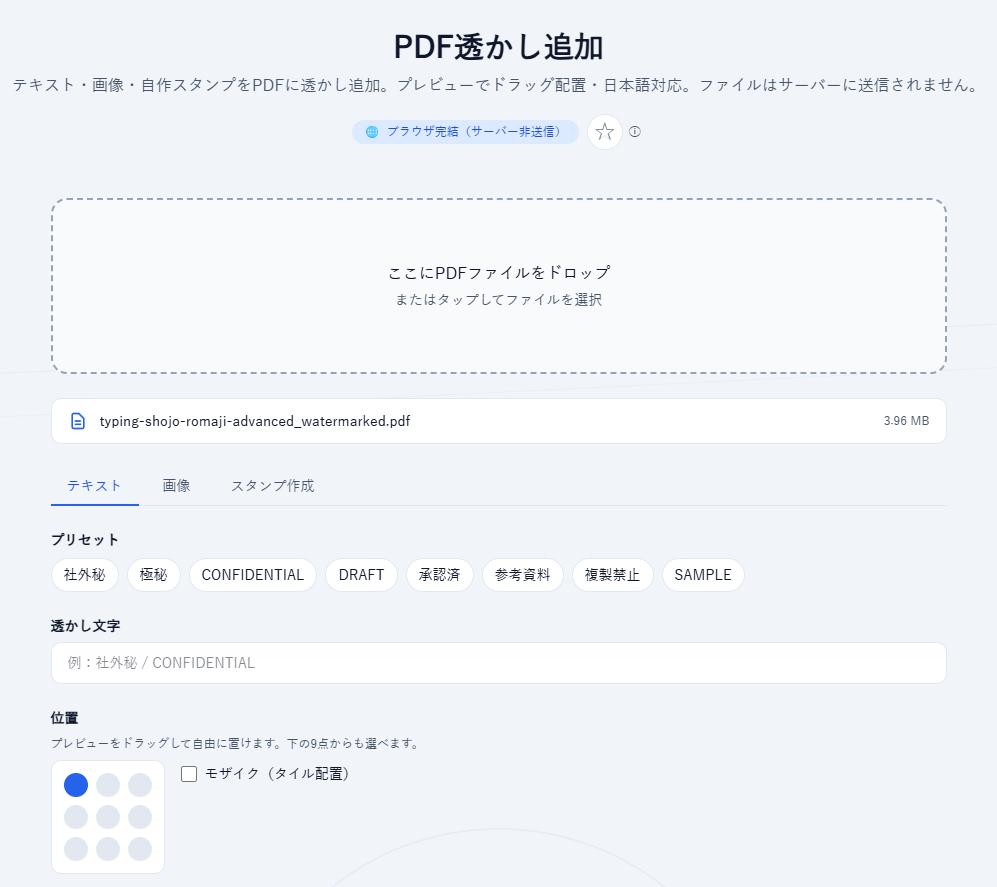
When you want to do this
I want to add a small text string to a PDF.
I want to add a logo image on top of a PDF.
I want to add a custom stamp with a name or similar to a PDF.
With "PDF Watermark Addition," you can add either text, an image, or a custom stamp to a PDF while viewing a preview.
How to use
[Text]
こんなときに
PDFにちょっとした文字列を入れたい。
PDFの上にロゴ画像を追加したい。
PDFに名前などの自作スタンプを追加したい。
「PDF透かし追加」なら、テキスト・画像・自作スタンプのいずれかを、プレビューを見ながらPDFへ載せられます。
使いかた
[テキスト]
1.追加対象のPDFをアプロードします (外部送信はされません)。
2.プリセットまたは、任意の文字列を入力します。
3.位置を指定するか、プレビューの文字列をそのまま移動して調整します。
4.大きさ、透明度、回転、文字色を調整。適用するページを指定します。
5.「PDFをダウンロード」します。
[画像]
1.PDFをアップロードします (外部送信はされません)。
2.PDFに追加したい画像をアップロードします(透過可能なPNGをお勧めします)
3.位置を指定するか、プレビューの文字列をそのまま移動して調整します。
4.大きさ、透明度、回転、文字色を調整。適用するページを指定します。
5.「PDFをダウンロード」します。
[スタンプ作成]
1.PDFをアップロードします (外部送信はされません)。
2.スタンプにする文字列を名前に入力します。
3.形状、フォント、文字色、枠の太さ、文字間を調整します。
4.位置を指定するか、プレビューの文字列をそのまま移動して調整します。
5.大きさ、透明度、回転、文字色を調整。適用するページを指定します。
6.「PDFをダウンロード」します。
ポイント
・処理はブラウザ内で完結します。PDFは外部に送信されません。
・テキストだけでなく、ロゴ画像やはんこ風スタンプにも対応しています(スタンプはデザイン用途です)。
・ログイン不要で無料でお使いいただけます。今後、有料化することはありません。

