Show original
Try the app

napps エンタメありの永久無料ツール集
Enjoyed this article?
Support ntones (エヌトーンズ)
Share
AI translation
絵文字・顔文字セットのご紹介
Try the app
napps エンタメありの永久無料ツール集
Enjoyed this article?
Support ntones (エヌトーンズ)
When You Want To
When you want to quickly paste emojis and emoticons in SNS or chat posts.
When you want to organize frequently used ones and don't want to search for them every time.
When you want to copy a set of reactions or announcements with one tap.
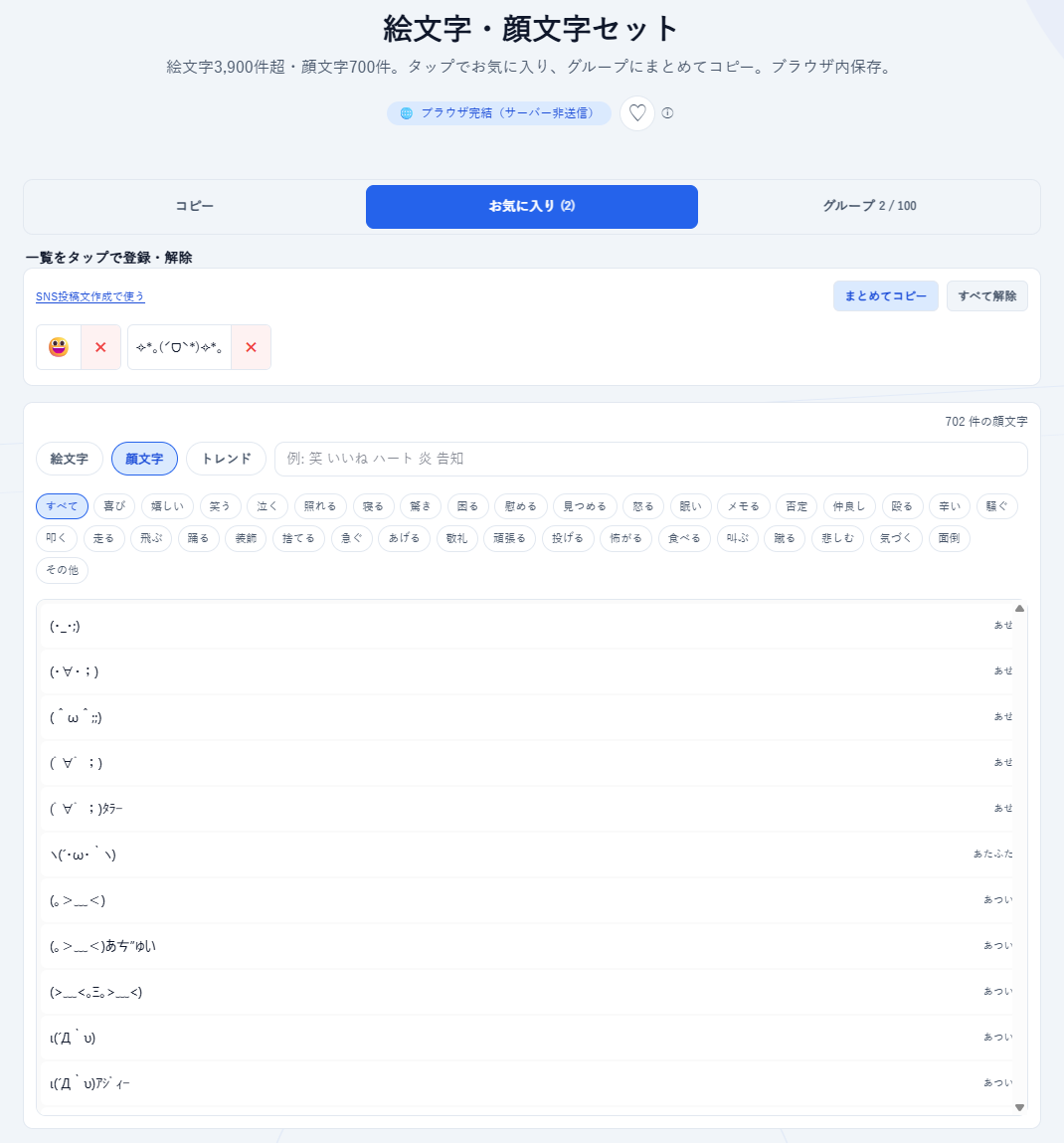
With "Emoji and Emoticon Set," you can select and copy from over 3,900 emojis and 700 emoticons.
The separate tool "SNS Post Text Creator" is designed so you can easily use the emojis and emoticons you set here.
How to Use
[Use by Copy & Paste]
Points
・The emoji and emoticon tool is the most popular on napps
・For computer use, it's more convenient to keep the "Emoji and Emoticon" tool open while using SNS.
・The emojis and emoticons registered here can be used in the "SNS Post Text Creator" tool.
・No login required and free to use. We will not charge for it in the future.
こんなときに
SNSやチャットの投稿に、絵文字・顔文字をすぐ貼りたいとき。
よく使うものをまとめておいて、毎回探したくないとき。
リアクションや告知用のセットを、ワンタップでコピーしたいとき。
「絵文字・顔文字セット」なら、絵文字約3,900件超・顔文字700件から選んでコピーできます。
別ツール「SNS投稿文作成」では、ここで設定した絵文字・顔文字を簡単に使うことができる仕組みになっています。
使いかた
[コピー&ペーストで使う]
1.「コピー」のタブを選びます
2. タブの下に、絵文字・顔文字の一覧があります。選択するとコピーされ、お好きなところにペーストします
[よく使う絵文字・顔文字をお気に入り登録する]
1.「お気に入り」のタブを選びます
2.タブ下の一覧からお好きな絵文字・顔文字を選択するとお気に入り登録されます
[よく使う絵文字・顔文字をセットで登録する]
1.「グループ」のタブを選びます
2. 任意のグループ名を作成します
3.タブ下の一覧からお好きな絵文字・顔文字を選択すると作成したグループに追加されます。グループでは「まとめてコピー」でセットを一度にコピーできます
ポイント
・絵文字・顔文字ツールは、nappsで一番人気
・パソコンでのご利用は「絵文字・顔文字」ツールを開いたまま、SNSをする方が便利です。
・ここで登録された絵文字・顔文字は、「SNS投稿文作成」ツールで利用できます。
・ログイン不要で無料でお使いいただけます。今後、有料化することはありません。

