Show original
Enjoyed this article?
Support RYO ITABASHI
Share
AI translation
Autonomous agents with personality and learning ability, development record of a two-month closed permission model
Enjoyed this article?
Support RYO ITABASHI
 In my previous explanation of Shelly published on Tsukutta, I focused on discussing autonomous agents. I introduced how Android's AlarmManager wakes up the device with the screen off when you register in natural language, the execution memory that remembers previous execution results and skill learning, and the safety design that restricts tools to Codex and local LLMs only during unattended execution.
If v7.0.0 was "the agent started moving on its own," then v8.0.0 was "giving the agent personality and learning ability" over 2 months.
The v7.0.0 tag is 2026-06-27, and v8.0.0 is 08-31. In just over 2 months, there were 825 commits, of which 158 were features. Since I can't cover everything, I'll focus on the key points.
https://github.com/RYOITABASHI/Shelly
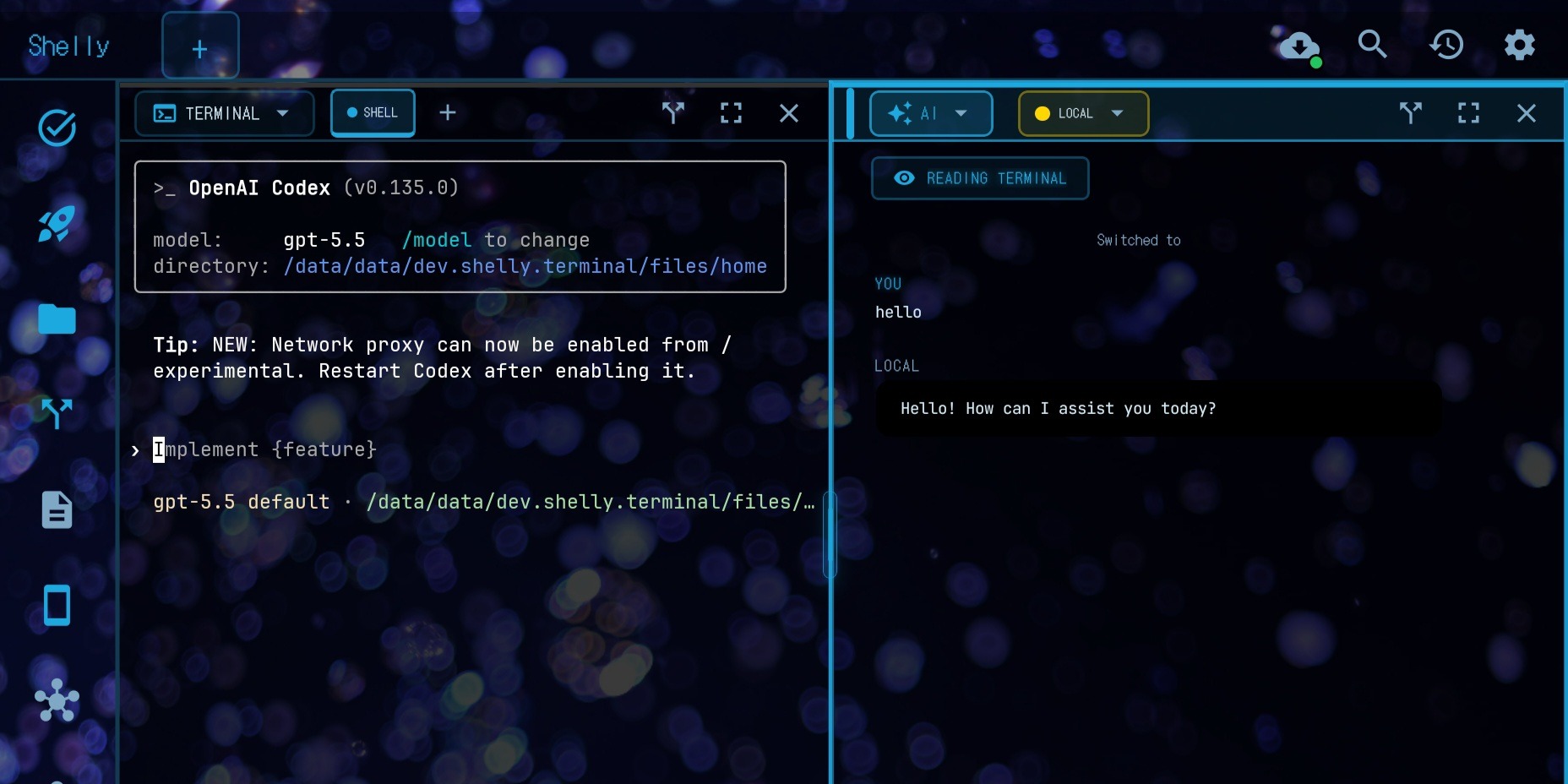
Until v7.0.0, the AI pane would become a different person every time you switched providers. If you were having a conversation with Gemini and switched to Groq, Groq would know nothing about it.
In v8.0.0, the default AI pane now behaves consistently as a single Shelly. There are no provider name tags attached to each reply. The provider actually answering appears only in the pane header, while the conversation itself maintains Shelly's first-person perspective and continues even when switching providers, along with brief handoff information.
The conversation is automatically summarized to the companion journal each time you switch. That day's conversation becomes a memory note in the _companion scope. No confirmation needed—it's all contained within the device. You can view, edit, and delete from Settings → Companion Memory.
Settings itself has also been split between companion-facing and developer-facing. Tasks / Skills remain open by default, while developer-facing sections are collapsed under a single line labeled Developer. The screen is now divided between "users" and "makers."
I wrote about agents gaining execution memory and skills in v7.0.0, but that was still just "remembering." In v8.0.0, we went further into what happens after remembering.
Self-improving skills. When there's a successful case after a failure, we definitively reflect that lesson into the skill itself. For attended execution, we ask for confirmation; for unattended execution, we auto-apply with a one-tap undo remaining. We don't have the LLM completely rewrite the skill text. We just mechanically add one line of lesson.
Paired with this is a conservative skill curator. Merge proposals for duplicate skills, promotion, archiving. We never silently consolidate without human approval. The skill catalog itself has grown from 4 importable recipes to 21.
We also refined memory retrieval. BM25 and time-decay scoring, and if a local embedding-capable model is running, re-ranking by that as well—we're running through the full pipeline.
One more thing: shared memory between agents was added, but here we made natural language triggers and confirmation gates mandatory. We didn't want to implicitly run operations that would rewrite the premises of all agents.
Last time, I introduced the policy of intentionally restricting unattended execution. In v8.0.0, we took this further: we closed the default not just for unattended execution, but also for attended execution.
Draft / notify / webhook / cli / intent / dm-reply—these actions flipped from auto-approval to mandatory manual review by default. We now standardly insert a "Runtime Review" tap even in attended execution. To revert to auto-approval, you need to explicitly choose it again in Settings.
There's just one exception. Draft writes to local agent-output workspaces only can execute optimistically (auto-savepoint → execute → one-tap undo in results). We've narrowed the write destination to places where you can explicitly revert. It's opt-in, remaining OFF by default.
Shell commands, webhooks, SNS posts, replies—these still wait for human taps, both in unattended and attended execution.
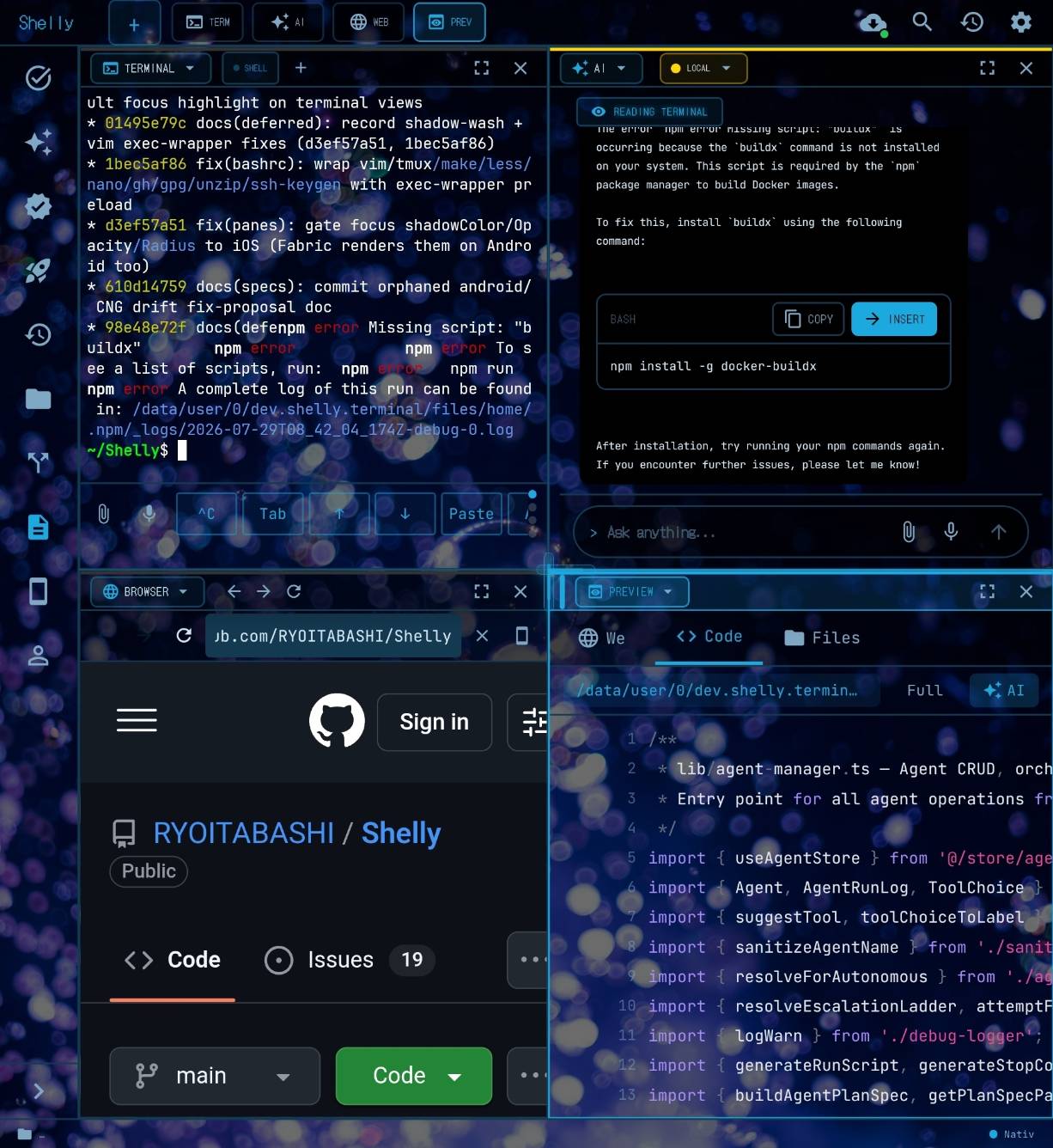
 - AI → Terminal Insert: An Insert button was added to ```
 `bash ``` blocks in AI chat replies. Tap it and it goes straight into the input line of the focused terminal pane (Enter isn't pressed automatically). If no terminal is open, a new one opens and queues the insertion.
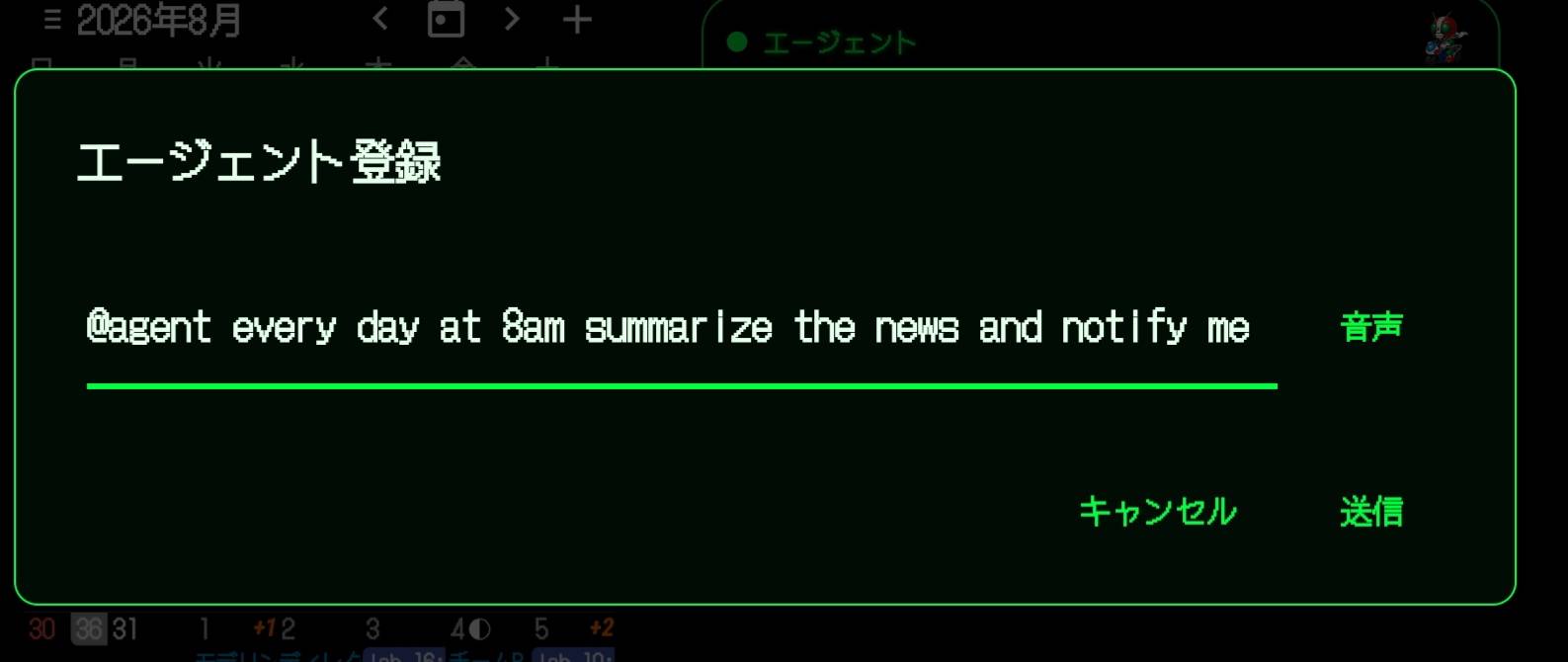
Widget No-Confirm Register, OFF by default) were added to widget agent registration.Metric | v7.0.0 | v8.0.0
Commits (since v7.0.0) | — | 825
Feature commits | — | 158
Test files | 40 | 255 (approx. 6.4x)
Skill catalog count | — | 4 → 21
Default action approval | Auto-approval | Mandatory manual review (flipped)
Agent persistent memory | Execution memory + skills | + self-improvement + shared memory + BM25/embedding re-rank
These 2 months followed a pattern of building up small, cut-out validation units from "Track A" through "Track HH" (going through the alphabet once, then again), then merging three parallel squad branches at the end. Rather than building one feature large and reviewing it all at once, we shifted toward a style of confirming each divided unit.
The development style of Shelly itself—where non-engineers communicate problems in Japanese, and AI agents investigate, implement, and review before release—hasn't changed. この2ヶ月もCHANGELOG.md updates can't keep up in real-time, and the human side's log operations are still lagging behind the agent's development speed.
Not everything went smoothly. On 2026-08-29, we implemented app.act, a feature using Android's Accessibility Service to read, tap, and type in screens of other apps outside Shelly (narrowed to just two: sending messages in LINE and posting to X). It passed independent reviews by both Fable5 and Codex, with no P0 issues found.
But when actually testing on a real device, we discovered an unfixable bug: when tapping Shelly's own "Capture" button in the recipe recording UI, Android's foreground window focus would shift to Shelly itself before the Accessibility Service could read the target app's screen. There were also two other structural bugs simultaneously, so on 08-31, just 2 days after implementation, we completely removed this feature.
Code that passed two independent reviews failed in a single session on a real device. SNS distribution itself remains possible via existing distribution connectors. We only stopped giving the agent the ability to directly manipulate other apps' screens. Build it, test it on a real device, and if it doesn't work, pull it immediately. This cycle naturally started running within these 2 months—that's one of the changes too.
APK: GitHub Releases(android-latest)
License: GPLv3
前回、Tsukuttaに公開したShellyの説明では、自律エージェントの話を中心に書きました。自然文で登録すると Android の AlarmManager が画面オフのまま起こしてくれること、前回の実行結果を覚える実行メモリとスキル学習、無人実行のときだけツールを Codex とローカル LLM に絞る安全設計について紹介しました。
v7.0.0 が「エージェントが自分で動き出した」だとすれば、v8.0.0 は「エージェントに人格と学習力を持たせた」2ヶ月です。
v7.0.0 のタグが 2026-06-27、v8.0.0 が 08-31。2 ヶ月ちょっとで 825 コミット、うち feat が 158。全部は書ききれないので、要点に絞って紹介します。
https://github.com/RYOITABASHI/Shelly
v7.0.0 までの AI ペインは、プロバイダを切り替えるたびに会話が別人になっていました。Gemini で話していた続きを Groq に切り替えても、Groq は何も知りません。
v8.0.0 では、デフォルトの AI ペインがひとりの Shelly として一貫して振る舞うようになりました。返信ごとにプロバイダ名のタグが付くこともありません。裏で実際に答えているプロバイダはペインのヘッダーに出るだけで、会話そのものは Shelly という一人称を保ったまま、プロバイダを切り替えても短い引き継ぎ情報と一緒に続いていきます。
会話は切り替えるたびに自動で companion journal に要約されます。その日の会話が _companion スコープのメモリノートになる。確認は要りません、端末内だけで完結します。Settings → Companion Memory から一覧・編集・削除できます。
Settings 自体も、companion 向けと developer 向けに分けました。Tasks / Skills はデフォルトで開いたまま、開発者向けのセクションは Developer という一行の下にまとめて畳んであります。「使う人」と「作る人」で画面を分けました。
v7.0.0 でエージェントに実行メモリとスキルが入った話を書きましたが、あれはまだ「覚えるだけ」でした。v8.0.0 では、覚えたあとどうするかまで踏み込みました。
スキルの自己改善です。失敗したあとに成功したケースがあれば、その教訓をスキル本体に確定的に反映します。人が見ている実行では確認を求め、無人実行では自動適用したうえでワンタップの取り消しを残す。スキル本文を LLM に丸ごと書き直させたりはしません。教訓を1行足すだけの、機械的な処理です。
これとペアで、保守的なスキルキュレーターも入りました。重複したスキルのマージ提案、昇格、アーカイブ。人間の承認なしに黙って統廃合することはありません。スキルカタログ自体も、インポートできるレシピが 4 個から 21 個に増えました。
記憶の呼び出しにも手を入れました。BM25 とタイムディケイのスコアリング、そしてローカルに embedding 対応モデルが動いていれば、それによる再ランキングまで一通り通しています。
もう一つ、エージェント間の共有メモリも入りましたが、ここだけは明示的な自然文トリガーと確認ゲートを必須にしました。全エージェントの前提を書き換える操作を、暗黙に走らせたくなかったからです。
前回、無人実行はあえて不自由にする、という方針を紹介しました。v8.0.0 ではこの方針をさらに進め、無人実行だけでなく、人が見ている実行のデフォルトも閉じました。
draft / notify / webhook / cli / intent / dm-reply、これらのアクションは、デフォルトが自動承認から手動レビュー必須に反転しました。「Runtime Review」のタップを、人が見ている実行でも標準で挟むようにしています。自動承認に戻すには Settings で明示的に選び直す必要があります。
例外は一つだけ作りました。ローカルの agent-output ワークスペースへの draft 書き込みだけは、楽観的に実行できます(自動セーブポイント → 実行 → 結果に「元に戻す」ワンタップ)。書き込み先を、明示的に元へ戻せる場所だけに絞っているからです。オプトインで、デフォルトは OFF のままです。
シェルコマンド、webhook、SNS 投稿、返信 —— これらは今も、無人実行でも人が見ている実行でも、人間のタップを待ちます。
- AI → Terminal Insert: AI チャットの返信に出てきた ``` `bash ``` ブロックに Insert ボタンが付きました。タップすればフォーカス中のターミナルペインの入力行にそのまま入ります(Enter は自動で押しません)。ターミナルが開いていなければ新しく開いて挿入をキューします。
Widget No-Confirm Register、デフォルト OFF)が付きました。指標v7.0.0v8.0.0コミット数(v7.0.0 以降)—825うち feat コミット—158テストファイル数40255(約6.4倍)スキルカタログの数—4 → 21デフォルトのアクション承認自動承認手動レビュー必須(反転)エージェントの永続記憶実行メモリ + スキル+ 自己改善 + 共有メモリ + BM25/embedding再ランク
この2ヶ月は、"Track A" から "Track HH"(アルファベットを一周して、さらにもう一周)まで、小さく切った検証単位を積み上げ、最後に3つの並列 squad ブランチをマージして締める、という進め方でした。1つの機能を大きく作り込んでから通しでレビューするのではなく、切り分けた単位ごとに確定させていくスタイルに、この2ヶ月で寄っていきました。
非エンジニアが日本語で問題を伝え、AIエージェントに調査・実装・レビューをさせてリリースする、というShellyの開発スタイル自体は変わっていません。この2ヶ月もCHANGELOG.mdの更新はリアルタイムでは追いつかず、エージェントの開発速度に人間側のログ運用が追いついていない状態が続いています。
うまくいった話ばかりではありません。2026-08-29、app.act という機能を実装しました。Android の Accessibility Service を使って、Shelly の外にある他アプリ(LINE でのメッセージ送信、X への投稿の2つだけに絞り)の画面を読み、タップし、文字を打つ機能です。Fable5 と Codex、両方の独立レビューを通し、P0 は見つかりませんでした。
ところが実機で実際に触ってみたところ、レシピ収録 UI で Shelly 自身の「Capture」ボタンをタップすると、Accessibility Service が対象アプリの画面を読み取るより先に、Android のフォアグラウンドウィンドウのフォーカスが Shelly 自身に移ってしまうという、直しようのないバグが見つかりました。ほかにも構造的なバグが同時に2つ出ており、08-31、実装からわずか2日後にこの機能を完全に撤去しています。
2つの独立レビューを通ったコードが、実機のたった1セッションで詰みました。SNS への配信自体は既存の配信コネクタ経由で今も可能です。エージェントに他アプリの画面を直接操作させる、という体の与え方だけをやめました。作って、実機で試して、ダメならすぐ引っ込める。このサイクルが2ヶ月で自然に回るようになったのも、今回の変化のひとつです。
APK: GitHub Releases(android-latest)
License: GPLv3
