Show original
Try the app

Nexus Shell
Enjoyed this article?
Support Nexus Shell
Share
AI translation
The reason I started creating Nexus Shell, and what I value in order to consolidate daily SSH work without adding too many features.
Try the app
Nexus Shell
Enjoyed this article?
Support Nexus Shell
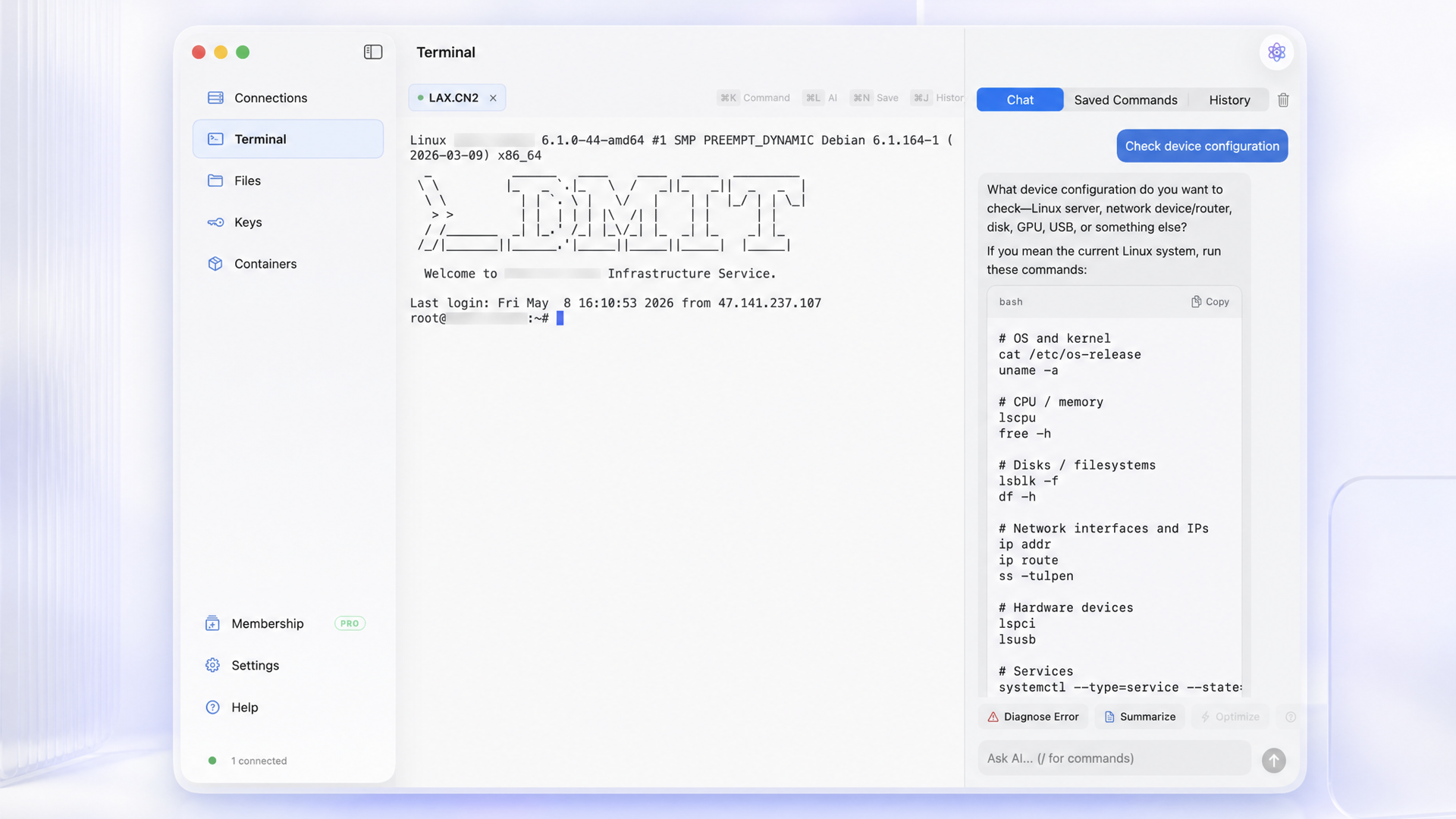
Simply connecting to a server via SSH is sufficient with macOS's standard terminal. However, as the number of connection destinations increases, managing the terminal, SFTP, keys, monitoring, and Docker checks separately creates a burden of small daily context switches that accumulate. With Nexus Shell, we aimed to naturally connect all of these within a single Mac application.
Why We Built It
Because it's a tool used every day, we prioritized being able to use it without hesitation when launched, rather than simply adding more features. Built with SwiftUI for Apple Silicon, we designed it with an interface that feels natural to macOS operations, multiple terminal tabs, side-by-side file management of local and remote systems, and the ability to complete frequently-used workflows with minimal operations.
What We Focused On
Nexus Shell doesn't aim to increase features for their own sake. We prioritized maintaining the SSH connection state while switching screens, ensuring operations remain responsive even with massive output or file transfers, and making the next action clear when errors occur.
Authentication information and operational data are stored locally by default, and conversation logs can be saved encrypted. When using iCloud sync, credentials and private keys are encrypted before leaving the device. Agent Bridge only operates when explicitly enabled, and confirmation is required on first connection.
Looking Forward
Since the app is still young, we prioritize bug fixes and necessary improvements over new features. Basic personal SSH functionality is free, and after registration you can try Pro for 7 days. We will continue to improve one thing at a time based on insights gained from actual operations.
This text was created using Codex's writing assistance, with the developer confirming and editing product specifications and expressions.
SSHでサーバーに接続するだけなら、macOSの標準ターミナルでも十分です。ただ、接続先が増えると、ターミナル、SFTP、鍵、監視、Dockerの確認が別々になり、日常の小さな切り替えが積み重なります。Nexus Shellでは、それらを一つのMacアプリの中で自然につなげることを目指しました。
なぜ作ろうと思ったか
毎日使う道具だからこそ、機能の数よりも、起動したときに迷わず使えることを大切にしたかったからです。SwiftUIでApple Silicon向けに作り、macOSの操作感に馴染む画面、複数のターミナルタブ、ローカルとリモートを並べるファイル管理など、よく使う流れを少ない操作で完結できるようにしています。
こだわったところ
Nexus Shellは、機能を増やすこと自体を目的にしていません。SSH接続中の状態を保ったまま画面を切り替えること、大量の出力やファイル転送でも操作が重くならないこと、エラー時に次の行動が分かることを優先しています。
認証情報と運用データはローカルを基本とし、会話ログは暗号化して保存できます。iCloud同期を使う場合も、資格情報と秘密鍵は端末を離れる前に暗号化します。Agent Bridgeは明示的に有効にした場合だけ動作し、初回接続には確認が必要です。
これから
まだ若いアプリなので、新しい機能よりも不具合修正と必要な改善を優先しています。基本的な個人利用のSSH機能は無料で、登録後はProを7日間試せます。実際の運用で気づいた点を、今後も一つずつ改善していきます。
本文はCodexの文章補助を利用し、開発者が製品仕様と表現を確認・編集しています。
