Show original
Enjoyed this article?
Support Izumo Studio
Share
AI translation
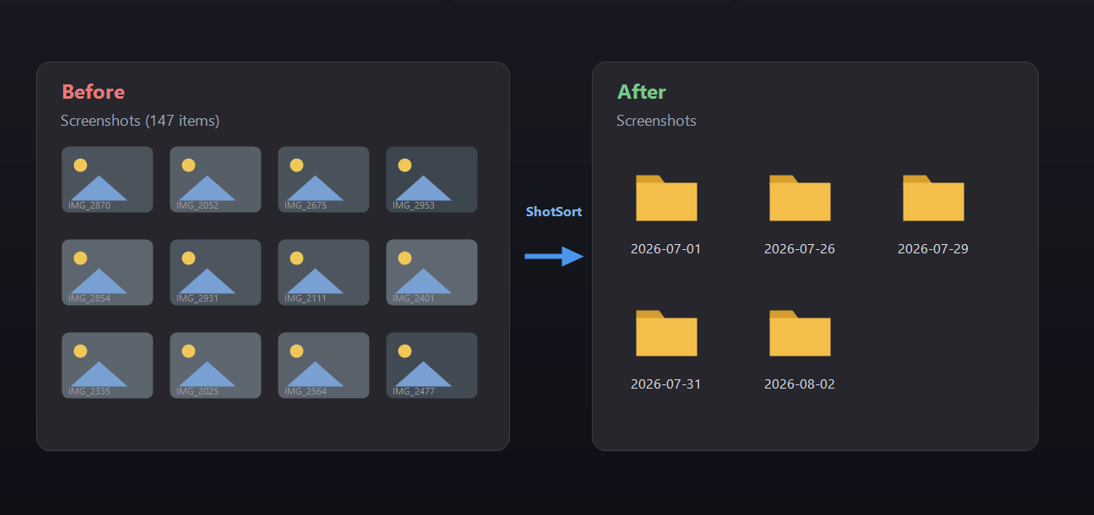
Trigger: The Screenshots folder is always chaotic. On Windows, when you press [Print Screen], screenshots keep accumulating in [the Screenshots folder]. Before you know it, there are hundreds of them. Every time you search for "where was that screen from last month," you end up in scroll hell. The more screenshots you take, the more this folder becomes a lawless zone. [You end up having to] manually separate them into date folders, or something like that...
Enjoyed this article?
Support Izumo Studio
When you press Win + PrintScreen on Windows, files keep piling up in ピクチャ > スクリーンショット. Before you know it, there are hundreds of them. Every time you search for "that screen from last month," you're stuck scrolling through hell. The more screenshots you take, the more this folder becomes a lawless zone.
Manually sorting them into date folders doesn't stick. So I thought: what if it automatically sorted them the moment you took them? I wanted just that one tool, so I built it.
Since it's a resident application, the ideal is for you to not even notice it's there.
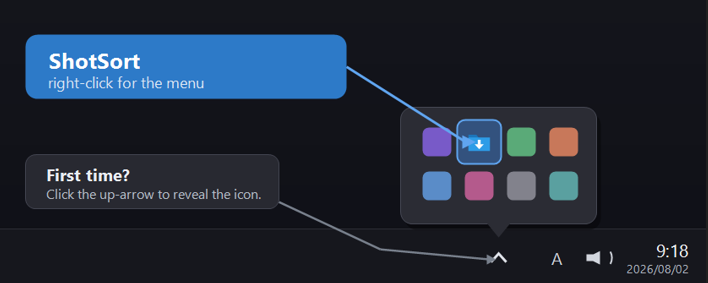 It sits in the notification area (tray) of your taskbar. Right-click the icon and you instantly get options like pause/resume, organize now, open today's folder, and settings.
I originally wrote it quickly in PowerShell for myself. It worked, but when running as a resident app, the PowerShell runtime would stick around and consume over 100MB of memory. Plus, with periodic execution, the console would flicker briefly. It was fine for personal use, but I didn't feel right distributing it to others like that.
So for public release, I rewrote it in C# with NativeAOT. It became a single exe with zero dependencies, compiled to native code, and memory usage dropped to about 1/8. For folder monitoring, I switched to FileSystemWatcher with event-driven detection so it only reacts the moment you take a screenshot. For the tray UI, since WinForms isn't available in NativeAOT, I implemented it by directly calling Win32 APIs.
Available free from the Microsoft Store
https://apps.microsoft.com/detail/9PDFNRBH0712?hl=neutral&gl=JP&ocid=pdpshare
Windows で Win + PrintScreen を押すと、ピクチャ > スクリーンショット にどんどん溜まっていきます。気づけば数百枚。「先月のあの画面どこだっけ」と探すたびにスクロール地獄。撮る量が多い人ほど、このフォルダは無法地帯になります。
手で日付フォルダに分ける、みたいなことは続きません。だったら、撮った瞬間に自動で分けてくれればいい。それだけの道具が欲しくて作りました。
常駐アプリなので、そこにいることを感じさせないのが理想です。
タスクバーの通知領域(トレイ)に常駐します。アイコンを右クリックすると、一時停止/再開、今すぐ整理、今日のフォルダを開く、設定、といった操作がすぐに出せます。
最初は自分用に PowerShell でサッと書きました。動きはしたのですが、常駐させると PowerShell ランタイムごと居座って メモリを100MB以上食う。しかも定期実行だとコンソールが一瞬チラつく。自分で使うだけならまだしも、これを人に配るのは違うなと。
そこで公開に向けて C# の NativeAOT で書き直しました。ネイティブにコンパイルされた依存ゼロの単一 exe になり、メモリは約1/8に。フォルダ監視は FileSystemWatcher でイベント駆動にして、撮った瞬間だけ反応するように。トレイUIは、NativeAOT では WinForms が使えないため Win32 API を直接叩いて実装しました。
Microsoft ストアから無料で入手できます
https://apps.microsoft.com/detail/9PDFNRBH0712?hl=neutral&gl=JP&ocid=pdpshare
