Show original
Try the app

クレカのつかいみち
Enjoyed this article?
Support 伸び代太
Share
AI translation
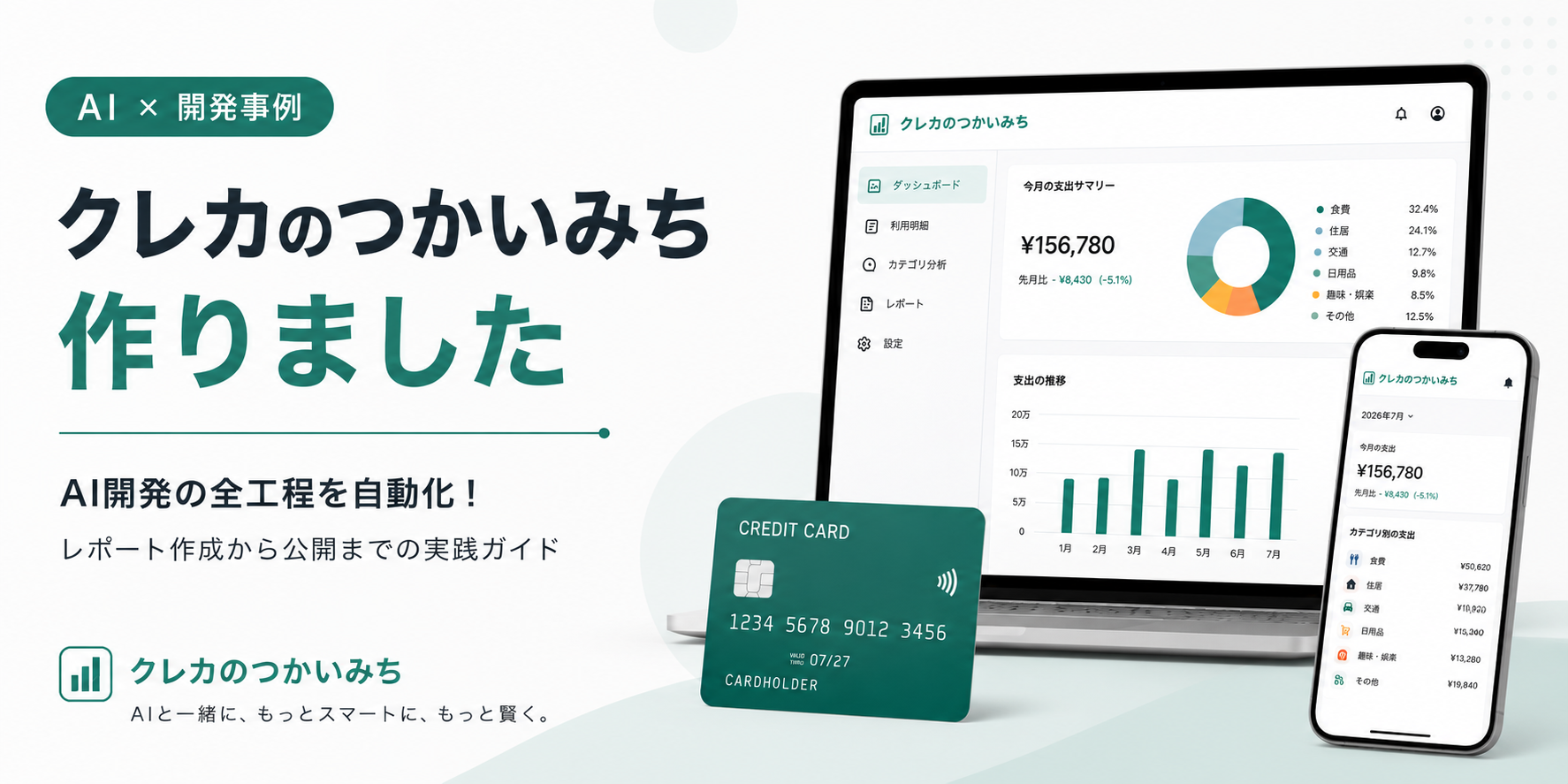
Even when I look at my credit card statement, I can't immediately understand where my money is being spent. To solve this small inconvenience, I created a household budget analysis web app together with AI, starting from zero coding experience.
Try the app
クレカのつかいみち
Enjoyed this article?
Support 伸び代太
Even when looking at my credit card statement, I couldn't immediately understand "what did I actually spend money on this month and how much?"
Credit card company statements show dates, merchants, and amounts in a list, but to understand the breakdown by food, transportation, online shopping, subscriptions, and so on, I had to manually enter the data into a household account book or organize it using spreadsheet software.
So I created a web app called "クレカのつかいみち" (Credit Card Usage Breakdown) that can automatically organize and visualize how money is being spent just by reading in a credit card statement.
I've designed it so you can check monthly expenses, category composition, merchant rankings, and recent transaction details as simply as possible.
The trigger was wanting to organize my own credit card statements.
There are already many household account apps available, but I was somewhat hesitant about linking my accounts and cards to external services. On the other hand, manually entering statements every time wasn't sustainable.
So I decided to create something I wanted to use under the following conditions:
I am not an engineer. Starting from a state with almost no coding experience, I used ChatGPT and Codex to proceed through planning, design, implementation, testing, and release.
The automatic classification identifies online shopping, transportation, restaurants, gasoline, subscriptions, and so on.
However, there are also transactions that cannot be determined by merchant name alone. Rather than forcing such statements into an incorrect category, I adopted a policy of leaving unidentifiable items in "Other."
When users correct a category, that result can be reflected in future classifications.
After completing the PC version, when I checked it on a smartphone, I found many issues: horizontal scrolling occurred, graphs were cut off, and top and bottom menus were hidden.
When I tried to fix all pages at once, the layout broke multiple times, so I ultimately confirmed the cause for each page and made corrections little by little.
In particular, the transaction details switch between table format on PC and vertical card format on smartphone.
The biggest challenge was handling actual statements correctly, rather than creating the appearance.
Even if transactions have the same date, same merchant, and same amount, they may be separate payments. If I use simple conditions to determine duplicates, normal transactions could be deleted.
Also, with services like Amazon, transportation systems, and subscriptions, it was often difficult to determine the purpose based solely on the name displayed in the statement.
Requesting corrections from AI didn't result in completion in one go; the following iteration was necessary:
Non-engineers can develop using AI. However, I realized that humans must continue to make decisions about what to create, what constitutes the correct state, and which changes to adopt.
Currently, I support statements in CSV format obtained from card companies.
On the other hand, some card companies only allow statements to be obtained in PDF format from smartphones. In the future, I want to explore ways to read PDFs in the browser while protecting privacy.
I also plan to expand the CSV formats supported, improve automatic classification rules, and strengthen guidance for first-time users.
Currently, I am recruiting testers to verify the CSV formats for each actual card company and the accuracy of automatic classification.
I would especially appreciate it if you could tell me the following points:
Even if there are CSVs that couldn't be read or misclassifications, that itself becomes important verification results.
This is an app created by a non-engineer together with AI, and it's still in the process of improvement. I would be happy if you could actually try it and give me frank feedback.
クレジットカードの明細を見ても、「今月、結局何にいくら使ったのか」がすぐには分かりません。
カード会社の明細には日付、利用先、金額が並んでいますが、食費、交通費、ネット通販、サブスクリプションなどの内訳を把握するには、自分で家計簿へ入力したり、表計算ソフトで整理したりする必要があります。
そこで、クレジットカード明細を読み込むだけで、お金の使い道を自動で整理・可視化できるWebアプリ「クレカのつかいみち」を作りました。
月別支出、カテゴリ構成、利用先ランキング、最近の利用明細などを、できるだけシンプルに確認できるようにしています。
きっかけは、自分自身のクレジットカード明細を整理したかったことです。
家計簿アプリはすでに多くありますが、口座やカードを外部サービスへ連携することには少し抵抗がありました。一方で、明細を毎回手作業で入力するのも続きません。
そこで、次の条件で自分が使いたいものを作ることにしました。
私はエンジニアではありません。
コーディング経験もほとんどない状態から、ChatGPTやCodexを活用して企画、設計、実装、テスト、公開まで進めました。
自動分類では、ネット通販、交通費、飲食店、ガソリン、サブスクリプションなどを判定します。
ただし、利用先名だけでは判断できない取引もあります。そのような明細を無理に誤ったカテゴリへ入れるのではなく、分からないものは「その他」に残す方針にしました。
利用者がカテゴリを修正した場合は、その結果を次回以降の分類へ反映できるようにしています。
PC版を整えた後、スマートフォンで確認すると、横スクロールが発生したり、グラフが見切れたり、上下のメニューが隠れたりと、多くの問題が見つかりました。
一度に全ページを直そうとして何度もレイアウトが崩れたため、最終的にはページごとに原因を確認し、少しずつ修正しました。
特に、利用明細はPCでは表形式、スマートフォンでは縦型のカード形式に切り替えています。
最も苦労したのは、見た目を作ることよりも、「実際の明細を正しく扱うこと」でした。
同じ日付、同じ利用先、同じ金額の取引でも、別々の決済である場合があります。単純な条件で重複判定すると、正常な取引まで削除されてしまいます。
また、Amazon、交通系サービス、サブスクリプションなど、明細に表示される名称だけでは用途が判断しづらいケースも多くありました。
AIに修正を依頼すれば一度で完成するわけではなく、次の反復が必要でした。
非エンジニアでもAIを使えば開発はできます。ただし、何を作るか、何を正しい状態とするか、どの変更を採用するかは、人間が判断し続ける必要があると実感しました。
現在は、カード会社から取得したCSV形式の明細に対応しています。
一方、カード会社によっては、スマートフォンからPDF形式でしか明細を取得できない場合があります。今後は、プライバシーを守りながらPDFをブラウザ内で読み取る方法を検討したいと考えています。
そのほかにも、対応するCSV形式の拡大、自動分類ルールの改善、初めて使う人向けの案内強化などを進める予定です。
現在、実際のカード会社ごとのCSV形式や、自動分類の精度を確認するため、テスターを募集しています。
試していただける方には、特に次の点を教えていただけるとうれしいです。
読み込めなかったCSVや誤分類があっても、それ自体が重要な検証結果になります。
非エンジニアがAIと一緒に作った、まだ改善途中のアプリです。実際に触っていただき、率直な感想をいただけるとうれしいです。

